1
SWING 8
HOW TO USE OSD MENU
4
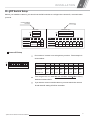
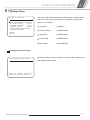
Swing Setup
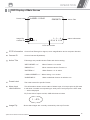
<Dome Camera Setup>→<Swing Setup>
Swing N umber
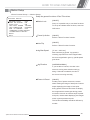
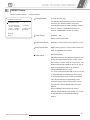
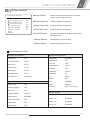
SWING SETUP
SWING NO .
1 S T POS.
2ND POS.
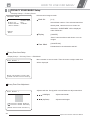
Selects Swing number to edit. If a selected Swing
1
NOT USED
NOT USED
SWING SPEED 3 0 / S E C
C L E A R SWING CANCEL
BACK
EXIT
[1~8]
has not defined, "NOT USED" is displayed in 1st
Position and 2nd Position
Ist Position
[PRESET 1~128] (Except [95])
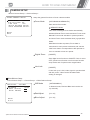
2nd Posit ion
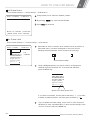
Set up the 2 position for Swing function If a
selected preset is not defined, "UNDEFINED" will
be displayed as shown below.
SWING SETUP
SWING NO .
I S T POS.
2ND POS.
1
PRESET5
NOT USED
UNDEFINED
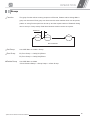
When swing function runs, camera moves from the
preset assigned as the 1st point to the preset
assigned as the 2nd point in CW(Clockwise)
direction. Then camera moves from the preset
assigned as the 2nd point to the preset assigned as
the 1st point in CCW(Counterclockwise) direction.
In case that the preset assigned as the 1st point is
same as the preset assigned as the 2nd point,
camera turns on its axis by 360º in CW direction
and then it turns on its axis by 360º in CCW
direction
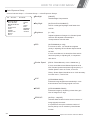
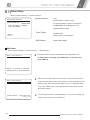
Swing Speed
[1 /sec~180 /sec]
Sets Swing speed from I /sec to 180 /sec.
Clear Swing
[CANCEL/OK]
Deletes current Swing data
Spee d Dome Camera Instruction Manual
27