1
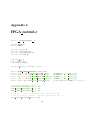
requires you to run the installer as root.
The installer is provided for Red Hat Linux, but it should work perfectly on most other
distributions, except for the driver setup scripts. The installer contains scripts to setup the
drivers at boot time and these are unlikely to be setup correctly outside of Red Hat.
The installation script will also prepare an environment settings that you will need to load
to start the tools. Depending on your shell this will look something like this:
source ˜/Xilinx/setting.sh
USB Cable Drivers
The drivers provided by Xilinx at the time of writing only support Linux kernel version prior
to 2.6.13. For more recent kernel versions you need to obtain one driver from from Jungo.com
directly and one from the Xilinx distribution.
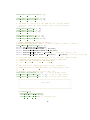
For recent kernel versions get the “driver development kit” and compile this. For gcc versions 4.0 and up find the macro “KBUILD STR” in the Makefile and remove it.
tar zxfv WD802ln.tgz
cd WinDriver/redist
./configure --with-kernel-source=/usr/src/linux-headers-2.6.15-26-386
make
For udev enabled platforms a udev rule must be created for the driver to be loaded. Create
a udev rule in /etc/udev/rules.d for example 10-xilinx.rules
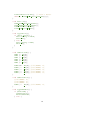
BUS=="usb", SYSFS{idVendor}=="03fd", SYSFS{idProduct}=="0007",\\
RUN+="/sbin/fxload -v -t fx2 -I /usr/local/Xilinx/bin/lin/xusbdfwu.hex
Parallel Cable Drivers
The drivers for the parallel and USB cables are installed as part of the installation procedure.
If this should fail or if you upgrade your kernel you can download the drivers from one of the
following locations depending on your kernel version. Unpack theses archives and build the
drivers with make:
ftp://ftp.xilinx.com/pub/utilities/fpga/linuxdrivers.tar.gz
For Linux 2.6
ftp://ftp.xilinx.com/pub/utilities/M1_workstation/linuxdrivers.2.6.tar.gz
The driver installation creates two scripts to load the drivers and setup the required device
nodes. However the permissions of these device nodes are set such that only root can access the
cables.
/lib/modules/misc/install_windrvr6 windrvr6
/lib/modules/misc/install_xpc4drvr
chmod 777 /dev/xpc4* /dev/windrvr6
Pace
Pace (the constraints editor) as of version 8.1i unfortunately suffers from a few quirks that need
to be taken into account. First of all make sure that the library libmotif3 is install, secondly
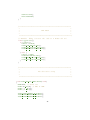
make sure to setup your DISPLAY DISPLAY=:0
16