1
System Operation
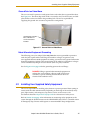
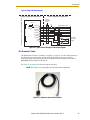
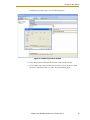
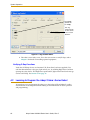
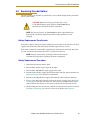
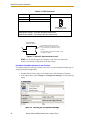
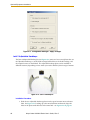
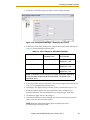
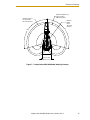
Click Joint
(default will
be Comp)
Use Jog
Control arrows
to move Joints
1 to 4 in each
direction.
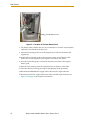
Figure 4-14 Jog Pendant Menu
4. The robot is now ready to use. Go to the next section to verify E-Stops and to
Chapter 6 for details on installing optional equipment.
Verifying E-Stop Functions
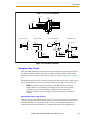
Verify that all E-Stop devices are functional (T2, Front Panel, and user-supplied). Test
each mushroom button, safety gate, light curtain, etc., by enabling High Power and then
opening the safety device. The High Power push-button/light on the Front Panel must go
out for each E-Stop. See Section 4.7 on page 49.
4.9
Learning to Program the Adept Cobra i-Series Robot
To learn how to use and program the robot, go to the Adept ACE and MicroV+ online
documentation in the Adept Document Library, to find information on basic operation
and programming.
60
Adept Cobra i600/i800 Robot User’s Guide, Rev G