1
Specifications
PCI VELOCITY / OPTO ISO RS422/485
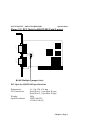
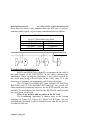
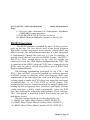
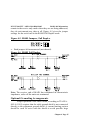
Figure 2-3. 9 Pin D Connector Port Pinouts.
P IN
P IN
P IN
P IN
6 - R E C E IV E D D ATA
7 - R E C E IV E D DATA
8 - CLE A R TO SEN D
9 - CLE A R TO SEN D
(R X D -)
(R X D + )
(C T S -)
(C T S + )
PIN
PIN
PIN
PIN
PIN
1
2
3
4
5
- T R A N S M IT T E D D ATA (T X D -)
- T R A N S M IT T E D D ATA (T X D + )
- R E Q U E ST T O S E N D (RT S -)
- R E Q U E ST T O S E N D (RT S + )
- G RO U N D (G N D )
Configuring The PCI RS422/485 Cards.
PCI cards require no hardware configuration for IRQ and
address allocation - this is done automatically at start up by the PC.
However, the PC Velocity RS422/485 and PCI Opto Iso RS422/45
both have two sets of jumpers for configuration of RS485
multiplex modes, how to configure these jumpers is shown below.
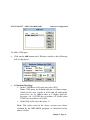
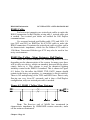
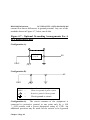
RS485 Multiplex Jumper Settings.
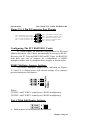
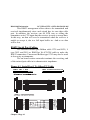
The RS485 Multiplex jumper block, indicated on Figures
2-1 and 2-2, is shown below with default settings of no jumpers
present (both ports full duplex).
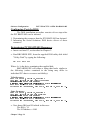
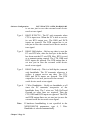
Where:
TX/RX1+ and TX/RX1- control port 1 RS485 multiplexing.
TX/RX2+ and TX/RX2- control port 2 RS485 multiplexing.
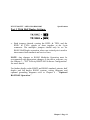
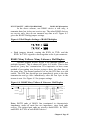
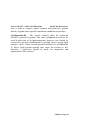
Port 1 With Full Duplex Settings.
• Both jumpers left unconnected (not shorted).
Chapter 2 Page 10