1
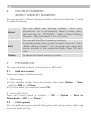
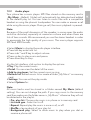
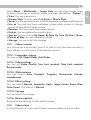
Phonebook -> Optoins –> Caller groups, you can add/edit caller groups,
as well as group members. You can configure ring tone and caller photo
etc, send SMS to all group members.
9.3
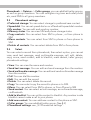
Phonebook settings
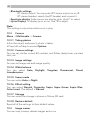
•Preferred storage: You can select storage to preferred save contact.
•Speed dial: You can set speed dial on or off and edit speed dial number.
•My number: You can edit and send my number.
•Memory status: You can view SIM and phone storage status
•Copy contacts: You can select from SIM to phone , or from phone to
SIM.
•Move contacts: You can select from SIM to phone or from phone to
SIM.
•Delete all contacts: You can select delete from SIM or from phone.
9.4
Select
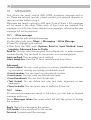
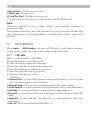
You can select a record from phonebook, then select option, you can set
view, send text message, send multimedia message, call, edit, delete,
copy, move, send contact, add to blacklist, mark several, caller groups,
phonebook settings.
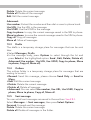
•View: You can view the name and number.
•Send text message: You can edit and send message from the number.
•Send multimedia message: You can edit and send multimedia message
from the number.
•Call: You can dial the number.
•Edit: You can edit the record.
•Delete: You can select delete the record.
•Copy: You can select copy the record to phone or to SIM.
•Move: You can select From SIM to phone, or From Phone to SIM
•Send contact: You can select as text message, as multimedia message,
via Bluetooth.
•Add to blacklist: You can set the contact to blacklist. Any number inside
blacklist cannot make a call to your phone.
•Add new contact: You can add new contact to the phone or SIM.
•Caller groups: You can add/edit caller group. (See 8.2)
•Phonebook settings: see „9.3 Phonebook settings“.
UK
15