1
A42404,SCA/SCNZ R995J O/M
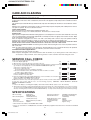
OTHER CONVENIENT FEATURES
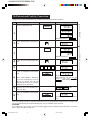
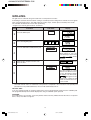
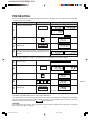
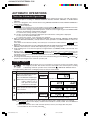
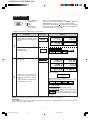
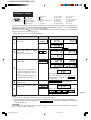
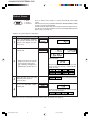
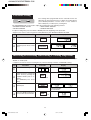
Help
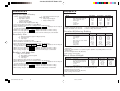
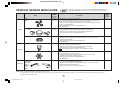
The HELP feature has 6 different programmes.
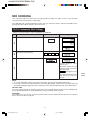
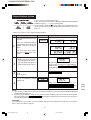
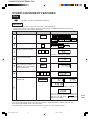
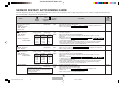
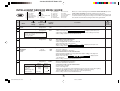
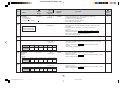
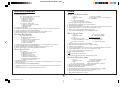
Auto Start
The Auto Start feature allows you to set your oven to start automatically.
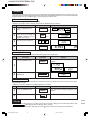
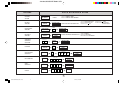
* Suppose you want to start cooking a casserole for 20 minutes on MEDIUM at 4:30 in the afternoon.
(Check that the correct time of day is displayed.)
Step
Procedure
Pad Order
Display
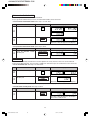
Press the HELP pad.
HELP
1
2
Press the number 1 pad.
1
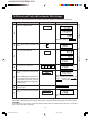
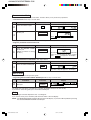
Enter the desired start time.
4
3
3
0
The dots (:) will flash on and off.
Press the CLOCK pad.
4
5
CLOCK
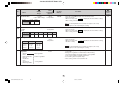
Set the desired cooking mode.
(for microwave cooking on
MEDIUM, press the POWER
LEVEL pad 3 times)
Enter the desired cooking time.
6
Press the INSTANT COOK/
START pad.
POWER
LEVEL
x3
2
0
0
0
INSTANT COOK
START
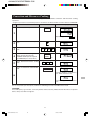
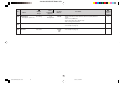
The oven will start cooking at 4:30 P.M.
7
COOK
The timer begins to count down. When the
timer reaches zero, all indicators will go off
will
and the oven will "beep".
appear in the display.
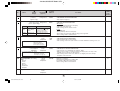
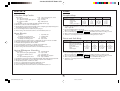
To check the current time, simply press the CLOCK pad, the time will be displayed.
If the door is opened after step 7, close the door and press the START pad to continue with Auto Start.
Press the STOP/CLEAR pad to cancel Auto Start.
The correct time of day must be set before using Auto Start, see clock setting on page 7.
22
SCA/SCNZ R995J 19-28
22
04.5.20, 9:12 AM