1
section 3: setup
Physical Setup With Router
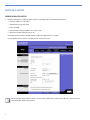
1. Connect the computer to the router using any of the LAN ports available (e.g. port 1) with a CAT5 or better cable or
connect to the wireless network with SSID MSLI. Connect the SIM 3 hardware Ethernet connector on the back panel to
any of the LAN ports (e.g. port 2) on the wireless router using a CAT5 or better cable.
Wireless
or CAT5
CAT5
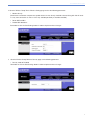
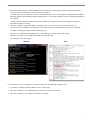
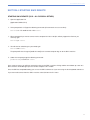
2. Verify the properties of the remote computer’s Ethernet adapter. Make sure it is set for IP address: DHCP.
You should have a similar display:
Windows
8
OS X