1
Table of Contents
Getting Started .................................................................................................... 5
Unpacking ....................................................................................................... 5
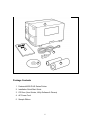
Package Contents........................................................................................... 6
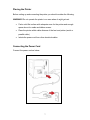
Placing the Printer .......................................................................................... 7
Connecting the Power Cord .......................................................................... 7
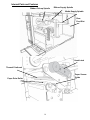
Getting to Know Your Printer ............................................................................. 8
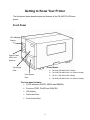
Front Panel ...................................................................................................... 8
Loading a Ribbon ......................................................................................... 18
Loading Media .............................................................................................. 21
Control Panel Operation................................................................................... 30
Front Panel .................................................................................................... 30
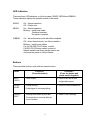
LCD Display .................................................................................................. 34
Front Panel Set-up Menu ............................................................................. 35
Procedure to Enter into Set-up Mode ......................................................... 36
Typical Set-up Control Panel Features ...................................................... 37
PALTM Print and Program Overview ................................................................ 38
Traditional Printing ....................................................................................... 38
Legacy Data Stream Interpretation.............................................................. 38
Standalone/Downtime Applications ............................................................ 39
Calibration & Configuration ............................................................................. 41
Performing Calibration ................................................................................. 41
Printing a Configuration Report .................................................................. 42
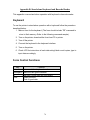
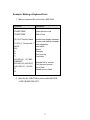
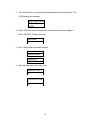
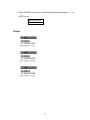
Resetting to Factory Default Settings ......................................................... 43
Computer Connections .................................................................................... 44
USB Interface Requirements ....................................................................... 44
Centronics Parallel Port ............................................................................... 44
Serial (RS-232) Port ...................................................................................... 45
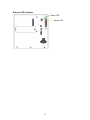
Ethernet 10/100 Internal Printer Server Option .......................................... 45
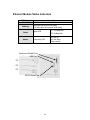
Ethernet Module Status Indicators .............................................................. 46
Communicating with the Printer...................................................................... 48
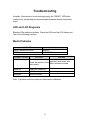
Troubleshooting ................................................................................................ 55
LED and LCD Diagnosis............................................................................... 55
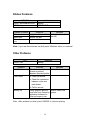
Media Problems ............................................................................................ 55
Ribbon Problems .......................................................................................... 56
Other Problems ............................................................................................. 56
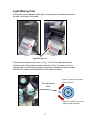
Light /Missing Print ...................................................................................... 57
Miscellaneous ............................................................................................... 58
Recovery ....................................................................................................... 59
Caring for Your Printer ..................................................................................... 60
Cleaning the Print Head ............................................................................... 60
Cleaning the Roller ....................................................................................... 61
Cleaning the Media Compartment ............................................................... 61
2