1
VISTA-15/VISTA-15CN Installation and Setup Guide
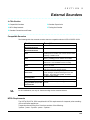
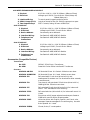
BizComp Intellimodem 2400
Hayes Optima 336 External
Hayes Smartmodem Optima 2400
Hayes Optima 2400 Fax96
Hayes Smartmodem 1200 External Modem
Hayes Smartmodem 1200B Internal Modem (Rev. 1.2 or higher)
Hayes external Optima 24 Plus FAX96 Modem
Practical Peripherals PM14400FXSA
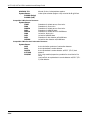
• COMPASS® Downloader Software (at revision level supporting the VISTA-15/VISTA15CN)
• Appropriate interconnecting cables
Initial Download
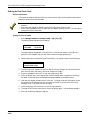
For initial downloading, enter Installer code + [#] + [5]. This sets field ✱95 to 4 rings, and
system to “no call-back” option. The download computer can then call the subscriber, make
the connection, and download all programming items.
After the control and the PC have established valid communication, each keypad on the
system becomes inactive and displays “CC” or “MODEM COMM.” The control, however, is
still scanning its zones and looking for alarms. If an alarm does occur, after communication is
broken off, alarms are sounded and the proper dialer reports are sent to the Central Station.
The keypads become active after the download communication is terminated. The detailed
operation of the download functions is covered in the installation instructions for the
COMPASS Downloader.
Remote Programming Commands
The downloading system can perform many functions when in communication with the
control unit. Besides uploading and downloading, the status of the system can be observed
and various commands can be initiated, as follows:
• Arm the system in the AWAY mode; disarm the system.
• Bypass a zone.
• Set the time.
• Force the system to accept a new program download.
• Shut down communication (dialer) functions (in response to nonpayment of monitoring fees
in an owned system).
• Shut down all security system functions (in response to nonpayment for a leased system).
• Inhibit local keypad programming (prevents account takeover).
• Command the system to upload a copy of its resident program to the office.
• Read: arming status, AC power status, lists of faulted zones, bypassed zones, zones
currently in alarm, zones currently in trouble, RF sensors with low-battery conditions, time
and event log.
Remote Programming Advisory Notes
• Alarm and trouble reporting may be delayed during the time that the system and the
downloader are linked to each other following a valid exchange of codes, but the proper
message will get through to the Central Station after the link is broken.
• Keypad entries are ignored during the time interval stated above.
• A copy of the program downloaded may be produced from the IBM PC compatible
computer, using the product's internal report generator, when an optional printer is
connected (consult your PC manual for proper printer and connections).
20–2