1
Finding Contacts Entries
There are several ways to display your Contacts entries: by
name, by speed dial number, by group, and by voice dial tags.
Follow the steps outlined in the sections below to display
entries from the Contacts menu.
Finding Names
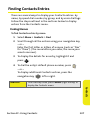
To find Contacts entries by name:
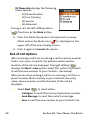
1. Select Menu > Contacts > Find.
2. Scroll through all the entries using your navigation key.
– or –
Enter the first letter or letters of a name (such as “Dav”
for “Dave”). (The more letters you enter, the more your
search narrows.)
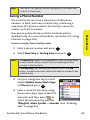
3. To display the details for an entry, highlight it and
press
MENU
OK
.
4. To dial the entry’s default phone number, press
TALK
.
– or –
To display additional Contacts entries, press the
navigation key (
Shortcut:
MENU
OK
) left or right.
From standby mode, press Contacts (right softkey) to
display the Contacts menu.
Contacts
Section 2F: Using Contacts
107