1
25
Connecting I/O Devices
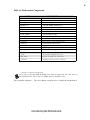
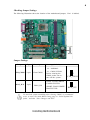
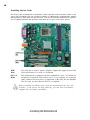
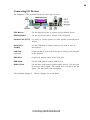
The backplane of the motherboard has the following I/O ports:
PS2 Mouse
Use the upper PS/2 port to connect a PS/2 pointing device.
PS2 Keyboard
Use the lower PS/2 port to connect a PS/2 keyboard.
Parallel Port (LPT1) Use LPT1 to connect printers or other parallel communications
devices.
Serial Port
(COM1)
Use the COM port to connect serial devices such as mice or
fax/modems.
LAN Port
(optional)
Connect an RJ-45 jack to the LAN port to connect your computer
to the Network.
VGA Port
Connect the monitor cable to the VGA port.
USB Ports
Use the USB ports to connect USB devices.
Audio Ports
Use the three audio ports to connect audio devices. The first jack
is for stereo line-in signal. The second jack is for stereo line-out
signal. The third jack is for microphone.
This concludes Chapter 2. The next chapter covers the BIOS.
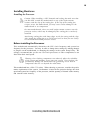
Installing the Motherboard