1
Chapter 4
Configuring Unchannelized mode for the Cisco PA-MC-2T3+
Checking the Configuration
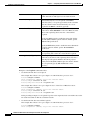
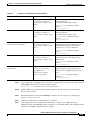
Table 4-3
Using show Commands (continued)
Command
Function
Example
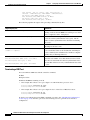
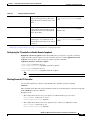
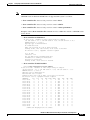
For a Cisco 7304 PCI Port Adapter Carrier Card in Displays status information
a Cisco 7304 router:
about a specific type of
show interfaces serial port-adapter/t3-port
interface
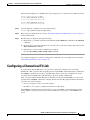
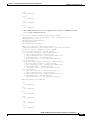
Router# show interfaces serial 3/1
For Cisco 7301 routers:
show interfaces serial port-adapter/t3-port
Displays status information
about a specific type of
interface
Router# show interfaces serial 3/1
For Cisco 7401ASR routers:
show interfaces serial port-adapter/t3-port
Displays status information
about a specific type of
interface
Router# show interfaces serial 3/1
For Cisco 7500 series routers:
show interfaces serial slot/port-adapter/t3-port
Displays status information
about a specific type of
interface (for example,
serial) on a VIP in a Cisco
7000 series or Cisco 7500
series router
Router# show interfaces serial 3/1/0
show protocols
Displays protocols
configured for the entire
system and for specific
interfaces
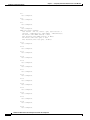
Router# show protocols
show running-config
Displays the running
configuration file
Router# show running-config
show startup-config
Displays the configuration
stored in NVRAM
Router# show startup-config
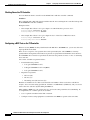
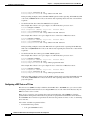
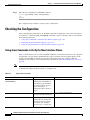
If an interface is shut down and you configured it as up, or if the display indicates that the hardware is
not functioning properly, ensure that the interface is properly connected and terminated. If you still have
problems bringing up the interface, contact a service representative for assistance. This section includes
the following subsections:
•
Using the show version or show hardware Commands, page 4-19
•
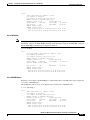
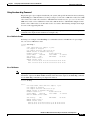
Using the show diag Command, page 4-22
•
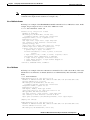
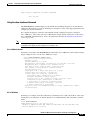
Using the show interfaces Command, page 4-24
•
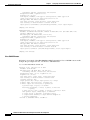
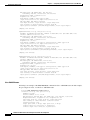
Using the show controllers Command, page 4-27
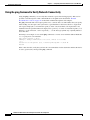
Choose the subsection appropriate for your system. Proceed to the “Using the ping Command to Verify
Network Connectivity” section on page 4-30 when you have finished using the show commands.
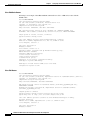
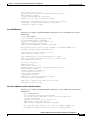
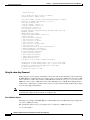
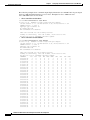
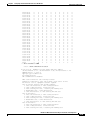
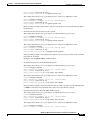
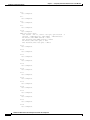
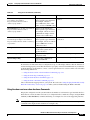
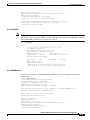
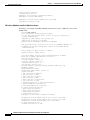
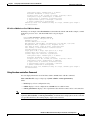
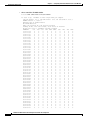
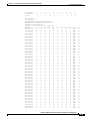
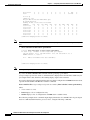
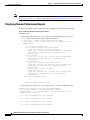
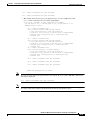
Using the show version or show hardware Commands
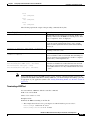
Display the configuration of the system hardware, the number of each interface type installed, the Cisco
IOS software version, the names and sources of configuration files, and the boot images, using the show
version (or show hardware) command. Following are examples for some of the platforms.
Note
The outputs that appear in this document may not match the output you receive when running these
commands. The outputs in this document are examples only.
PA-MC-2T3+ Multi-Channel T3 Port Adapter Installation and Configuration
OL-3526-05
4-19