1
Conventions Used in This Guide
Conventions Used in This Guide
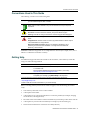
The following conventions are used in this guide.
blue type
Indicates a hypertext link. When reading this document online, click the text in blue to
go to the referenced figure, table, or section.
Note: Calls the reader’s attention to any item of information that may be of special
importance.
Caution: Contains information essential to avoid damage to the equipment.
Precaución: Contiene información esencial para prevenir dañar el equipo.
Achtung: Verweißt auf wichtige Informationen zum Schutz gegen Beschädigungen.
Electrical Hazard: Warns against an action that could result in personal injury or
death.
Riesgo Electrico: Advierte contra una acción que pudiera resultar en lesión corporal
o la muerte debido a un riesgo eléctrico.
Elektrischer Gefahrenhinweis: Warnung vor sämtlichen Handlungen, die zu
Verletzung von Personen oder Todesfällen – hervorgerufen durch elektrische
Spannung – führen können!
Lowercase x: Indicates the general use of an alphanumeric character (for example, 6x1xx, the x’s indicate a combination of numbers or letters).
Getting Help
For additional support related to the modules or this document, contact Enterasys Networks using one of the following methods:
World Wide Web
www.enterasys.com/services/support/
Phone
1-800-872-8440 (toll-free in U.S. and Canada)
or 1-978-684-1000
For the Enterasys Networks Support toll-free number in your country:
www.enterasys.com/services/support/contact/
Internet mail
support@enterasys.com
To expedite your message, type [SWITCHING] in the subject line.
To send comments concerning this document to the Technical Publications Department:
techpubs@enterasys.com
Please include the document Part Number in your email message.
Before contacting Enterasys Networks for technical support, have the following information ready:
•
Your Enterasys Networks service contract number •
A description of the failure
•
A description of any action(s) already taken to resolve the problem (for example, changing mode switches, rebooting the unit)
•
The serial and revision numbers of all involved Enterasys Networks products in the network
•
A description of your network environment (for example, layout and cable type)
•
Network load and frame size at the time of trouble (if known)
DFE-Platinum Series Hardware Installation Guide
xiii