1
6
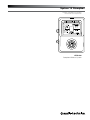
System 10 Stompbox Installation and Operation
Ten Tips to Obtain the Best Results
System Operating Frequencies
1. Use only fresh alkaline or fully charged rechargeable batteries.
2. Position the receiver so that it has the fewest possible obstructions
between it and the normal location of the transmitter.
Line-of-sight is best.
3. The transmitter and the receiver should be as close together
as conveniently possible, but not less than 3' (1 m).
4. Please keep other wireless devices (including wireless systems and
routers) away from System 10 receivers. For best performance,
some routers and Wi-Fi-based wireless systems may need to be up
to 30 feet away from System 10 receivers.
5. If the System 10 Stompbox receiver is used in conjunction with an
effects pedal board with a common power supply, make sure each
output is “isolated” in order to prevent noise interference.
6. As some guitar pickups may be overly sensitive to magnetic
interference, please keep the System 10 UniPak® body-pack
transmitter at least 1 foot away from guitar pickups.
7. Use the transmitter level control to optimize performance for your
instrument, voice, or other sound source.
8. The A or B Output Mode is perfect for connecting to two different
amps, allowing you, for example, to easily switch between amps
when playing rhythm or lead guitar. The A Mute Output Mode is
excellent for tuning on the fly: with Output B connected to a tuner,
you can mute Output A, tune your guitar, then unmute Output A and
continue playing.
9. Turn the transmitter off when not in use. Remove the battery if
the transmitter is not to be used for a period of time.
10.Unplug the receiver from the AC outlet when the system is not
in use.
Automatic Frequency Selection
System 10 Stompbox wireless systems operate in automatically selected frequencies in the 2.4 GHz range, far from TV and DTV interference.
Up to eight channels may be used together without any frequency
coordination problems or group selection issues. Every time a receiver/
transmitter pair is powered on, it automatically selects clear frequencies.
Due to the dynamic nature of System 10 automatic frequency selection,
these transmitting frequencies may change during power-up or performance if interference is encountered. These frequency changes occur at
both the receiver and transmitter; they are seamless and imperceptible
to the ear.
System Frequencies
For future reference, please record your system information here (the serial number
appear on each transmitter, and on the bottom of each receiver):
Receiver
ModelATW-R1500
Serial Number
Transmitter
ModelATW-T1001
Serial Number