1
Getting Started
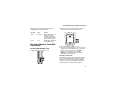
4 Press O to see the Security screen.
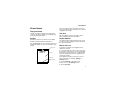
Main Menu
OK Key
All your phone’s features can be accessed through
the main menu. You can set the main menu to
appear as a list or as large icons (see “Setting the
Menu View” on page 180).
Pressing O:
•
•
•
•
•
Selects the highlighted menu item or list item
Sets options
Confirms actions
Places and answer calls
From the idle screen, accesses the Audio
Player. This is the default setting. You can
assign a different main menu item to O.
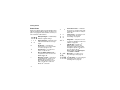
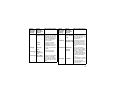
Re-Boost
Recharge your account from
your phone. See page 18.
Web
Access to BoostTM Wireless
Web Services. See page 116.
BoostLIVE
Access to boostLIVE for the
latest list of entertainment
applications.
Java® Apps
Java® applications on your
phone. See page 154.
Settings
Customize your phone. See
page 179.
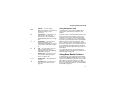
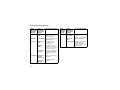
Ringtones
Assign ringtones and turn
ringer off. See page 82.
Audio Player
Access the MP3 audio player.
See page 39.
Media Center
Access stored pictures, and
audio recordings. See
page 126.
Menu Key
Many features provide context-sensitive menus
that let you access related features and actions.
This icon S appears any time a context-sensitive
menu is available. Press m to access the menu.
9