1
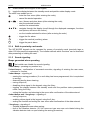
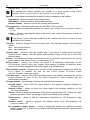
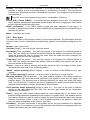
20 User Manual SATEL zone status is shown using the following symbols (which can be changed by the installer): b - zone bypass, l - trouble "long violation", f - trouble "no violation", T - tamper alarm, A - alarm, - zone tamper, M - masking, - zone violation, t - tamper alarm memory, m - masking memory, a - alarm memory, - zone OK. Supply voltages – available to the installer. Enables checking of the supply voltage for individual expansion modules. Temperatures – allows to check the temperatures measured by ATD-100 wireless detectors. Radio devices – allows to check the radio signal level for ABAX system wireless devices supported by the control panel. Zone Test – the submenu contains functions which allow to test the detectors connected to the zones (see: section ZONE TESTING p. 33). Battery test – available to the installer. Upon starting the function, the control panel will generate events to inform about the status of batteries of the control panel and hardwired expansion modules with power supply. Additionally, the status of 60. TECH.BATTERY LOW type zones will be analyzed. Manual transmission test – generates an event, which starts the procedure of event transmission to the monitoring station (a code sent with the system identifier). Monitoring station test (1A, 1B, 2A, 2B) – allows to send a test transmission to the monitoring station (separate functions for each of the telephone numbers). When sending the transmission, messages are displayed to inform about the currently performed operation. The function is useful when starting the reporting or in case of any reporting trouble. Messaging test – allows to test the messaging function. Upon starting the function: 1. Enter the number of the telephone (consecutive number on the telephone list). 2. Press the key. 3. Enter the number of voice message. 4. Press the key. The control panel will call the indicated number and play back the message. Answering test – if this function is started, information on the number of rings and going off-hook is displayed when answering the telephone call. Proximity card test – allows to check the number of proximity card and establish to whom it belongs (if the card belongs to a user of the system). CA-64 PTSA test – allows to test the mimic board. View masters – available to the administrator. It makes it possible to check in which objects the master users are created. Keypad name – allows to check the given keypad name.