1
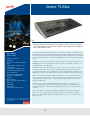
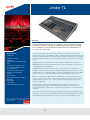
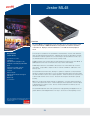
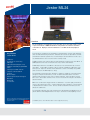
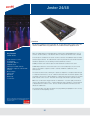
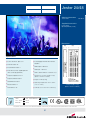
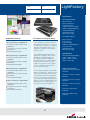
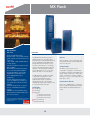
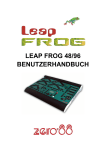
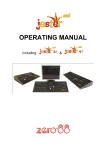
Leap Frog 48
Overview
Key Features
Leap Frog 48
n
n
n
n
n
n
n
n
n
n
n
n
n
n
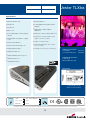
Fully Tracking console
200 fixtures + 48 generics
USB support for show files storage
and touch screens
4 universe optically isolated DMX
outputs, also available over Art-Net
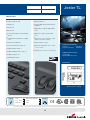
8 LCDs on the front panel
Multi-function keys speed up
programming
RDM ready hardware
XGA monitor output for clear user
definable displays
Shows cross loadable with Frog 2 and
importable from original Frog Series
Optional hardware upgrade enables
SMPTE/MIDI/ChilliNet and Remote
Switches
Submaster playback faders now with
directly recordable chases
Cue stack (Playback X) playback with
improved clarity and ease of use
Submaster faders can also be used
as playback faders if required, giving
separated cue stacks
Full context sensitive online help
Note: Zero 88 products are designed to work seamlessly
with iLumin/iLight products or standard DMX protocol
systems by others.
*Monitor not included.
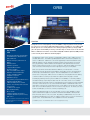
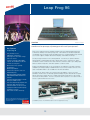
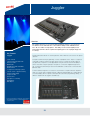
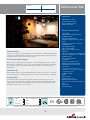
Developed using feed back from operators of the original Frog consoles the Leap Frog 48
maintains Zero 88’s philosophy of providing great value feature packed products.
Users of the original Frog Desks will find a
familiar ergonomic hardware platform but
that is where the similarity to the existing
range ends. The hardware set has been
expanded considerably. The new desks
feature two DMX universes as standard,
USB storage, external touch screen support, multiple onboard LCD displays and
multifunctional keys.
The key change however is in the software platform. Consistency of operation
with the existing desks is maintained but
the new software allows users to achieve
more. Allows control of up to 248 devices,
up to 200 fixtures can be controlled on
either of the desks and these can be allocated to up to 400 groups. 400 color,
beam, and position and effects palettes
can be recorded to provide the user with
quick access when programming or
operating live.
Industry standard Ethernet protocols
and visualisers are supported. Free PDA
software is available to provide (by adding
a suitable Wireless Access Point) a wireless
remote for the desk. A free Offline Editor is
also available from the Zero 88 website.
The Leap Frogs’ effects engine can now
be used for all attributes. Fly Ins, Can
Cans, Rainbows, and Iris Pulses can all
be programmed simply using the
onboard effects engine. Offsets and rotation settings allow for complex and versatile unique effects to be created and stored
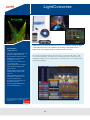
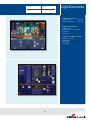
as effect palettes. The new color picker
allows for precise color selection with a
mouse or optional external touch screen.
(* via USB – please check with Zero 88 for a list
of supported screens)
14