1
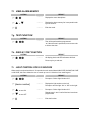
7f. VIEW ALARM MEMORY
ACTION
RESULT
Displays the zone descriptions.
or Displays the alarm memory list in sequential order
by zone number.
#
Exits the mode.
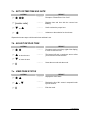
7g. TEST FUNCTION
ACTION
RESULT
Test will be performed as programmed.
If the siren test is performed, enter a user code
to silence the siren.
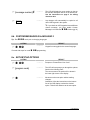
7h. DISPLAY TEST FUNCTION
ACTION
RESULT
All display pixels and LED indicators will flash.
Press any key to end test.
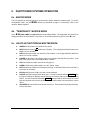
7i. LIGHT CONTROL FOR X-10 DEVICES
When used in conjunction with an X-10 output device such as the NetworX NX-507E, NX-508E, NX-534E
or NX-540E, this menu allows the user to control up to ten X-10 devices from each keypad.
ACTION
RESULT
Prompts to “Select Light Number 0-9”.
[device number]
Displays the light number on the left.
to turn ON
to turn OFF
#
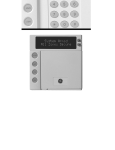
LCD KEYPAD
Prompts to turn the light “On” or “Off” on the right.
Prompts to “Select Light Number 0-9”.
Repeat steps 2 and 3 until all devices have been
programmed.
Exits the function.
15