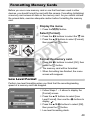
1
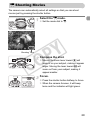
E Shooting Movies
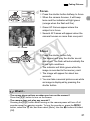
Shoot.
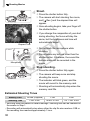
● Press the shutter button fully.
X The camera will start shooting the movie,
and [ Rec.] and the elapsed time will
appear.
● Once shooting begins, take your finger off
the shutter button.
● If you change the composition of your shot
during shooting, the focus will stay the
same, but the brightness and tone will
automatically adjust.
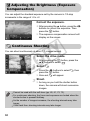
Elapsed Time
Y
P
O
● Do not touch the microphone while
shooting.
● Do not press any buttons other than the
Microphone
C
shutter button. Otherwise, the sound the
buttons make will be recorded in the
movie.
Stop shooting.
● Press the shutter button fully again.
X The camera will beep once and stop
shooting the movie.
X The indicator will blink green, and the
movie will record to the memory card.
X Shooting will automatically stop when the
memory card fills.
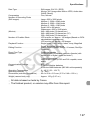
Estimated Shooting Times
Memory Card
Shooting Time
128 MB (Supplied)
1 min. 4 sec.
2 GB
16 min. 47 sec.
8 GB
1 hr. 7 min. 6 sec.
• Shooting times are based on default settings. Shooting time can be checked on
the screen in Step 1.
• Recording will automatically stop when either the clip file size reaches 4 GB or
the recording time reaches approximately 1 hour.
30