1
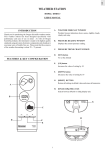
Select operating mode
A CL (CLEAR)
Press this button to quit the currently
active menu item in the DSC mode.
Any changes made will not be stored.
Press CL again to quit the DSC mode.
Cancels the direct entry of radio frequencies.
B DSC / OK
DSC (Direct Software Control)
Use DSC to adjust the programmable
basic settings.
OK
Press to store the altered settings.
Activate DSC: Press the button briefly.
Select function: Press / .
Display setting adjustments: Press
DSC/OK.
Alter settings: Press << / >>.
Store: Press OK.
Quit DSC: Press CL.
If you quit DSC by pressing CL before
you press OK, any changes made to
the settings will not be stored.
For more information refer to ”Programming with DSC”.
Audio mode
(Radio, CD changer (optional), auxiliary
source)
In the audio mode, press SRC to switch between radio and CD changer (optional) or
an auxiliary source.
When in telephone mode, press SRC to
switch back to the audio source used last.
Telephone operation has priority. As a result, you cannot switch to audio mode if you
are talking on the telephone or trying to place
a call.
• Press SRC repeatedly until the functions of the audio source you wish to
listen to appear in the display.
If you have inserted a magazine containing
no CDs, the display shows “NO CD”.
An auxiliary source cannot be selected unless a Blaupunkt changer has been connected to the system. ”AUXILIARY SOURCE
ON” must be set in the DSC menu.
84
Helsinki gb1
84
12.06.2002, 10:47 Uhr