1
Note: Not all service providers support TTY. Consult your service provider for
more information.
To turn TTY Mode on or off:
1. Activate the main menu, highlight the Settings menu, and press
.
2. Select More....
3. Select Accessibility.
4. Select TTY Options. (A brief explanation of TTY will display.)
5. Press
again to continue.
6. Press the navigation key up or down to select TTY On or TTY Off and
press
to save and exit.
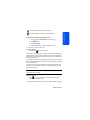
Note: In TTY Mode when your headset is plugged in, your phone will display the
TTY access icon. If TTY mode is enabled, the headset cannot be used.
IMPORTANT 911 Emergency Calling: We recommend that TTY users make
emergency calls by other means, including Telecommunications Relay Services
(TRS), analog cellular, and land line communications. Wireless TTY calls to 911
may be corrupted when received by public safety answering points (PSAPs)
rendering some communications unintelligible. The problem encountered appears
related to TTY equipment or software used by PSAPs. The wireless industry and
PSAP community are currently working to resolve this.
Phone Basics
20
Phone Basics
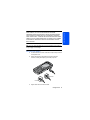
Your phone is compatible with selected TTY devices. Please check with the
manufacturer of your TTY device to ensure that it supports digital wireless
transmission. Your phone and TTY device will connect via a special cable that
plugs into your phone's headset jack. If this cable was not provided with your TTY
device, contact your TTY device manufacturer to purchase the connector cable.