1
Dolby® CP650 Installation Manual
Front-Panel and Alignment Overview
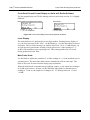
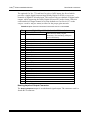
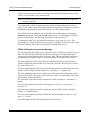
Front-Panel Sound Format Display on Units with Earlier Software
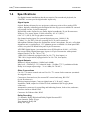
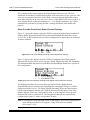
The bar graph display on CP650s running software earlier than version 2.1 is slightly
different.
Dolby Digital Surround EX board installed:
Not installed:
L C R Ls Rs SW Bsl Bsr
L C R Ls Rs SW
Figure 3-5 Front-Panel Display when Running Earlier Software
Level Display
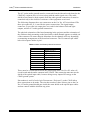
The main fader level is displayed as a two-digit number. Starting from a display of
0.0, the level increases from –90 to –10 dB (display 4.0) as the fader knob is turned
clockwise. The level then increases in smaller steps from –10 to +10 dB (display 10).
As with previous generations of Dolby cinema processors, a fader setting of 7.0
(0 dB) is the nominal correct operating level. This setting matches the level used
during production of the film.
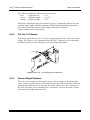
Main Fader Knob
Use this knob to adjust the sound level. A fader reading of 7.0 is the nominal correct
operating level. The main fader knob rotates continuously with no end stops. The
knob is also used for data selection during setup operations.
When the fader knob is rotated between readings 0 and 4.0, the output level changes
in 20 dB steps between –90 and –10 dB. When the fader knob is rotated between
readings 4.0 and 10, the output level changes in 3 1/3 dB steps between –10 and
+10 dB.
3-4