1
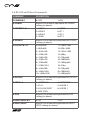
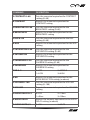
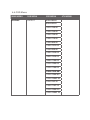
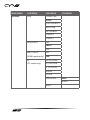
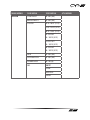
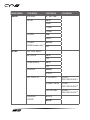
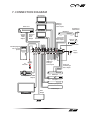
Main Menu
Sub Menu
3rd Menu
4th Menu
INFORMATION INPUT
OUTPUT
REVISION
IP ADDRESS
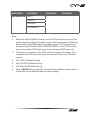
Note:
1. When the AUDIO SOURCE setting is set to 'AUTO', the device will send the
audio signal according to the input source. If the input signal is HDMI, the
device will use the HDMI audio signal and if input is DVI, the device will
use the external L/R audio. When AUDIO SOURCE is set to EXT, the device
will use the external L/R audio input for the relevant HDMI input only.
2. The Factory reset option in the OSD will only reset part of settings. For a
complete reset of the system, please use the reset button on the remote
control.
3. 192.168.0.1 (Default Setting).
4. 255.255.255.0 (Default Setting).
5. 192.168.0.254 (Default Setting).
6. Items in BOLD with an asterisk (*) are the Factory default settings. Items
in brackets are the default values for those settings.
19