1
Installation and Operation Manual
VoIP Gateway
8.3
TD 92326GB
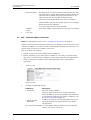
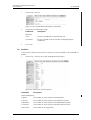
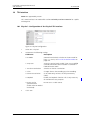
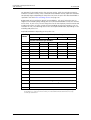
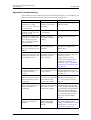
rx-del
Number of received delete inquires
rx-abandon
Number of received abandon inquires
tx-notify
Number of transmitted notifications
tx-error
Number of transmit errors
tx-error-49
Number of transmit errors due to incorrect entrance data
tx-error-50
Number of transmit errors due to insufficient rights
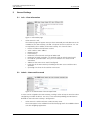
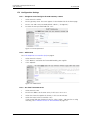
Replicator – Configuration
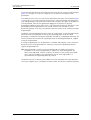
The task of LDAP replication is to copy and keep up to date the content of the user
database.
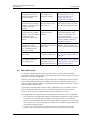
LDAP Replicators are usually configured in the following cases:
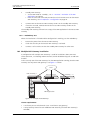
• User data is replicated from the Master VoIP Gateway to the Standby or Slave VoIP
Gateway The replicator is configured on the Standby or Slave VoIP Gateway (Full
Directory Replication).
The same user name and password specified in the “master” VoIP Gateway (LDAP
Server) must be entered here. The LDAP user and password is stored in Configuration >
LDAP > Server".
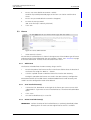
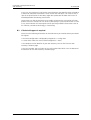
• User data is replicated from the Active Directory (AD) to the Master. The replicator is
configured on the Master.
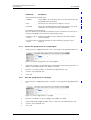
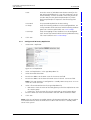
1
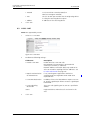
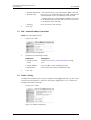
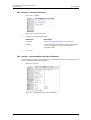
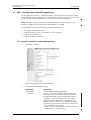
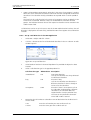
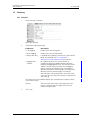
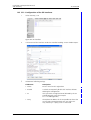
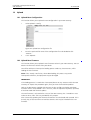
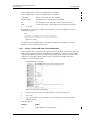
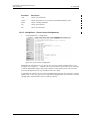
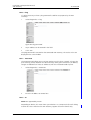
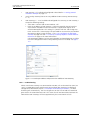
Select LDAP > Replicator.
2
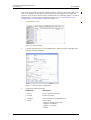
Select Type, either "Full Replication" or "Active Directory replication".
3
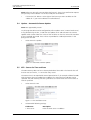
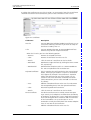
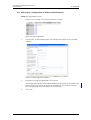
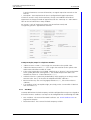
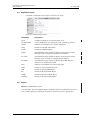
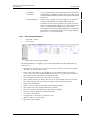
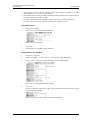
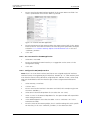
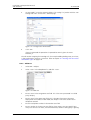
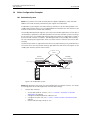
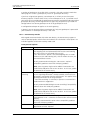
Select/Enter the following settings.
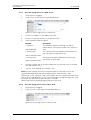
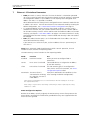
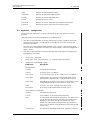
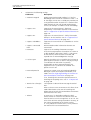
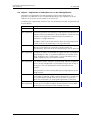
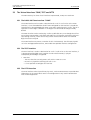
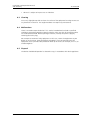
Field name
Description
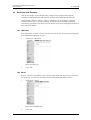
Full Replication
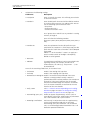
• Enable
Start/Stop the replication.
• Server
The LDAP server “IP address”.
• Alt. Server
If an alternative LDAP server is used enter its “IP address”.
• Filter Type
Select whether an internally required LDAP Filter will be
derived from a PBX Name or is to be entered free-hand.
• BPX Name
Depending on selection of Filter Type, enter either the name
of the PBX Application or the name of an LDAP Filter.
• User
Enter the user name specified in the LDAP server.
• Password
Enter the password specified in the LDAP server.
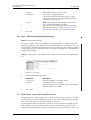
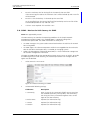
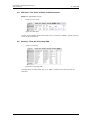
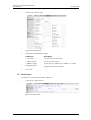
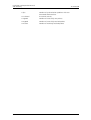
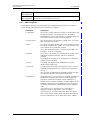
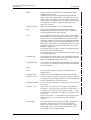
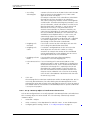
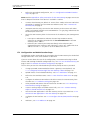
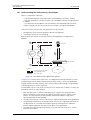
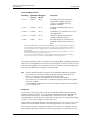
Active Directory Replication
2009-03-10 / Ver. E
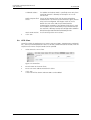
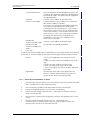
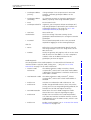
• Enable
Start/Stop the replication.
• Server
The IP address of the remote Active Directory.
• DN
The distinguished Name of the search base. This DN must be
one of the naming contexts, offered by the remote Active
Directory. If the Server setting was entered, the Show..
button will show which naming contexts are available. In
most cases the default naming context will be selected and
can be "OK".
• LDAP Filter
An LDAP Filter according to RFC2254. A default is offered.
43