1
Chapter 2
Using the setup Command Facility
The setup Command Facility
The setup Command Facility
The setup command facility is displayed in your PC terminal emulation program window.
To create a basic configuration for your Cisco IAD, do the following:
Note
•
Complete the steps in the “Configuring Global Parameters” section on page 2-2.
•
Complete the steps in the “Configuring Controller and Interface Parameters” section on page 2-5
that apply to your Cisco IAD and network.
•
Complete the steps in the “Completing the Configuration” section on page 2-13.
If you make a mistake while using the setup command facility, you can exit and run the facility again.
Press Ctrl-C, and enter setup at the enable mode prompt (Router#).
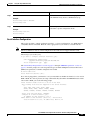
Configuring Global Parameters
Step 1
Power on the Cisco IAD.
Note
To power on the Cisco IAD2435 IAD, plug in the external power supply.
Messages begin to appear in your terminal emulation program window.
Caution
Do not press any keys on the keyboard until the messages stop. Any keys pressed during this time are
interpreted as the first command typed when the messages stop, which might cause the Cisco IAD to
power off and start over. It takes a few minutes for the messages to stop.
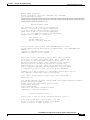
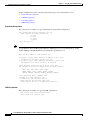
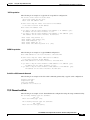
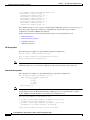
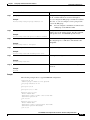
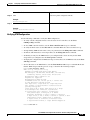
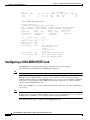
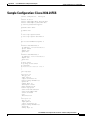
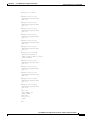
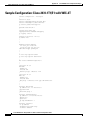
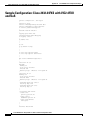
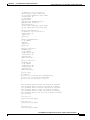
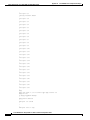
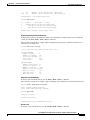
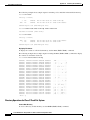
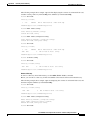
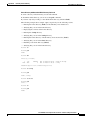
The messages look similar to the following example.
Note
Much of the following example is largely for a Cisco IAD2431-1T1E1 IAD. The messages vary,
depending on the Cisco IOS software release, the interface modules in your Cisco IAD, and the
feature set you select. In addition, the word “Router” is the default prompt, and may appear
elsewhere; interpret this word as meaning “Cisco IAD.” The screen displays in this section are
for reference only and might not exactly match the messages on your console.
Also, although you see the interfaces of onboard and installed T1 controllers and installed serial
interface cards (such as the WIC-2T), you do not see the interfaces of installed voice interface
cards.
Note
The Cisco IAD2435 router is a fixed-configuration router and does not support interface cards.
System Bootstrap, Version 12.4(20080418:075150)
[BLD-iad.IAD_APRIL18_POST_SYNC_BUILD_UBLDIT-for_gopasaha 102], DEVELOPMENT SOFTWARE
Copyright (c) 1994-2008 by cisco Systems, Inc.
C2431 platform with 262144 Kbytes of main memory
Cisco IAD2430 Series Integrated Access Devices Software Configuration Guide
2-2
OL-4306-03