1
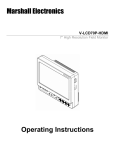
Installation and Initial Setup ■ Unpacking Carefully unpack the V-LCD70XP-HDMI monitor and verify that the following items are included: • V-LCD70XP-HDMI Monitor • V-PS12-5V-XLR Power Supply with 4-Pin Female XLR Connector • Operating Instructions Inspect the unit for any physical damage that may have occurred during shipping. Should there be any damage, immediately call Marshall Electronics Customer Service at (800) 800-6608. If you are not located within the continental United States, call +1 (310) 333-0606. ■ Mounting The V-LCD70XP-HDMI monitor features a ¼”-20 mounting hole on the underside of the enclosure, allowing the monitor to be mounted to a camera or other device using a variety of mounts. There are additional locations on the side and top for optional threaded inserts. Contact your dealer, or visit www.lcdracks.com for more information. ■ Changing the Battery Adapter The V-LCD70XP-HDMI ships with a single battery adapter, specified at the time of ordering. Several other battery adapters are available to accommodate a variety of batteries. Many different user-interchangeable “camcorder battery” adapters are available: Canon, Panasonic, JVC, Sony BP, Sony NP-Q, and Sony NP-F. Installation: To uninstall one of the above battery adapters, remove the 5 screws on the adapter. Remove the adapter and carefully disconnect the 4-pin connector between the monitor and adapter. To install one of the above battery adapters, connect the 4-pin connector of the new battery adapter to the monitor, and re-install the 5 screws. Note: Do not change the pinout of the 4-pin connector on the battery adapter. This pinout is factoryconfigured according to each battery adapter. IDX and Anton Bauer battery adapters are also available. Installation can easily be performed in the field. Contact Marshall Electronics Customer Service at (800) 800-6608 for further information. ■ Connections and Power-On Plug the V-PS12-5V-XLR power supply into an AC power source (100-240 V @ 50/60 Hz). Attach the 4-pin female XLR connector to the back of the monitor. Please note that 12VDC can be also supplied directly to the monitor from a variety of sources. The monitor will draw no more than 1.0 Amps at 12 Volts in operation (12 Watts). Connect the required cables for video signal input and output. (Power must be applied to the V-LCD70XP-HDMI for the active loop-through outputs to be activated.) All BNC connectors are rated at 75Ω. The unit defaults to ‘ON’ when power is supplied. Video will automatically be detected and displayed on the screen. 5