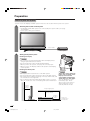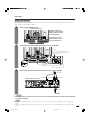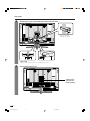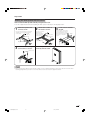
1
Watching TV
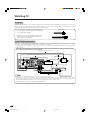
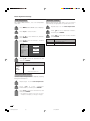
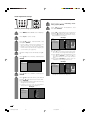
Connecting Digital Cable Module
Digital Cable Module is called CableCARD™. By attaching the CableCARD, you can receive various digital
services provided by your Cable Company. To obtain and use a CableCARD you need to first submit an
application. Please contact your cable company to discuss receiving an application.
NOTE
• If your cable company does not have CableCARD available, you must connect to the cable-TV set-top box via component
video or DVI in order to receive HDTV programs. (See page 57.)
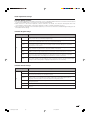
■ When you change your address (See page 95)
■ About EAS(Emergency Alert System) (See page 95)
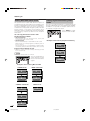
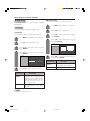
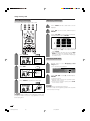
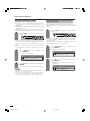
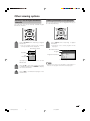
2
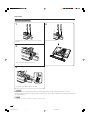
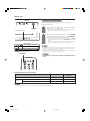
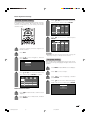
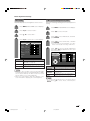
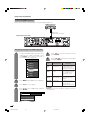
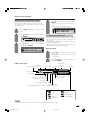
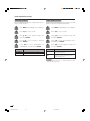
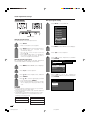
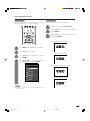
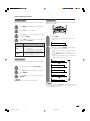
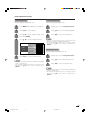
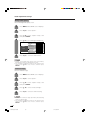
Press c/d to select “Digital Setup”, a/b to
select “CableCARD MENU”, a/b to select
“Pairing Information”, and then press
ENTER.
Conditional Access
Pairing Information
Diagnostic Screen
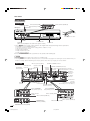
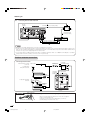
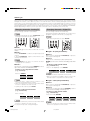
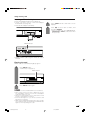
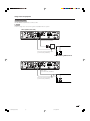
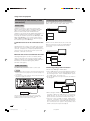
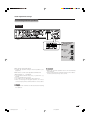
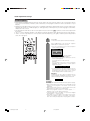
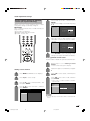
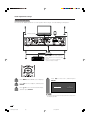
DIGITAL IN terminal CableCARD slot
1
Turn on the POWER.
2
Connect the antenna cable to DIGITAL IN.
ECM
• The words “Pairing Information” may be replaced by a
different expression depending on the manufacturer of the
CableCARD.
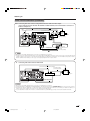
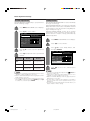
3
3
Select “Cable” from “Air/Cable” in Channel
setup mode. (See page 32)
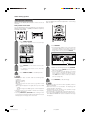
4
Insert the CableCARD (upper side facing up)
into the CableCARD slot.
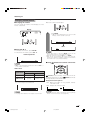
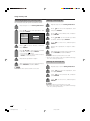
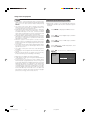
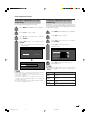
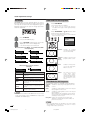
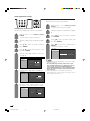
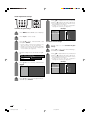
A message will appear on the screen. Call
the number on the screen and tell the
operator the CableCARD ID and Host ID
numbers displayed on the screen.
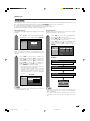
CableCARD Dialog
CableCARD(tm) Pairing Status
In order to start cable service
for this device, please contact
your cable provider
1-888-555-2222
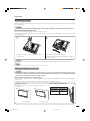
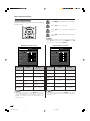
• A message will appear on the screen. (It might
take a couple of minutes before the message
appears.) Call the number on the screen and
tell the operator the CableCARD ID and Host
ID numbers displayed on the screen.
CableCARD(tm) ID:
7-561-034-449-009
Host ID:
0-100-331-784-018
CableCARD(tm) Pairing Status
• If there is a white triangle at the right side of the screen, the
screen is not showing the entire message. Press a/b on
your remote control to display the rest of the message.
• When there is a “LINK” button on the screen, there is a link
to the next page. Press ENTER to go to the next page.
In order to start cable service
for this device, please contact
your cable provider
1-888-555-2222
CableCARD™ ID:
7-561-034-449-009
Host ID:
0-100-331-784-018
CableCARD(tm)
Diagnostic Information
Power: ON
In band: O.K.
NOTE
Out of band: O.K.
• Do not insert any PCMCIA card other than CableCARD
into the CableCARD slot.
• Please do not pull the AC cord out while the CableCARD
is inserted.
• After inserting the CableCARD, it may take several minutes
before video output from the selected channel appears
on screen.
Video: O.K.
Audio: O.K.
LINK
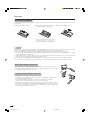
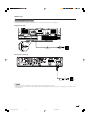
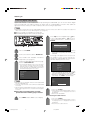
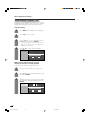
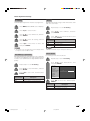
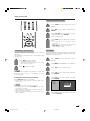
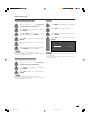
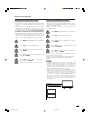
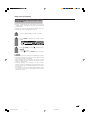
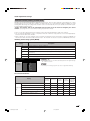
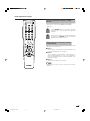
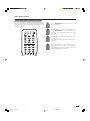
Removing CableCARD
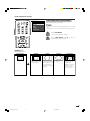
1
■ If the above procedure does not work,
please follow the following steps instead.
• Turn on the POWER.
• Check that the CableCARD upgrade screen is
not displayed. If it is displayed, wait until it
disappears.
• Remove the cableCARD.
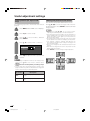
Disconnecting the cable antenna
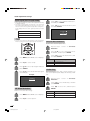
1
Press MENU and the MENU screen display.
1
• Turn on the POWER.
• Check that the CableCARD upgrade screen is
not displayed. If it is displayed, wait until it
disappears.
• Disconnect the cable antenna.
29
LC-45GX6U(E)-020-029
29
04.7.8, 8:44 AM