1
ASTi Telestra User Guide (Ver. 3, Rev. G.1)
Accuracy & Timeliness of Hardware Layout
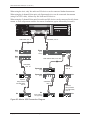
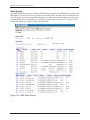
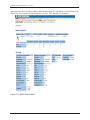
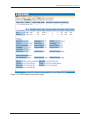
Disregarding Hardware Profiling for the moment, the RMS system needs to be able to discern primarily what devices are “on the wire,” i.e. physically connected to the Telestra system through
some series of cable connections. Several factors can affect how well RMS determines and displays the “on wire” status for any USB device. These include:
• Proper power and USB cable connection(s)
• Proper USB device initialization
If the USB device is not properly initialized, RMS will not be able to display it, or any of
its downstream-connected devices. If a device is not showing up in the hardware tree,
check power supply, cable connections, and attempt re-initialization by clicking the “Reset
all devices” button on the Hardware Layout screen. See “Important” below.
• Whether or not an MBV model is loaded and/or running
If the Telestra system does not have an MBV model loaded and/or running, the USB subsystem cannot immediately notify you of a missing USB device. This is due to the inability to constantly “ping” or otherwise poll a connected device for an answer in the absence
of a model.
If there is a loaded and/or running model on the Telestra system, the removal or failure of
an Iris device can be immediately discerned by the USB subsystem and reported by RMS.
The MBV model will only be concerned with Iris audio and I/O devices, therefor RMS
cannot flag an upstream device (e.g., an Axis) as “missing” with the same timeliness. If,
however, that upstream Axis device fails, then all of its downstream Iris devices will be
immediately marked as “missing” in the display tree.
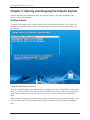
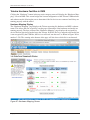
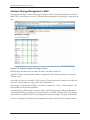
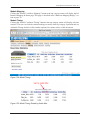
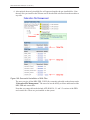
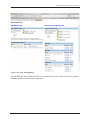
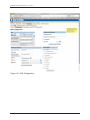
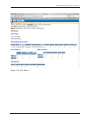
Missing or removed devices in the hardware layout tree will be marked with a large, red X.
• Automatic page refresh frequency
The Hardware Layout screen will automatically refresh itself at the user-defined interval,
as specified in “Telestra Preferences.” If an Iris device fails on a running model, then it is
immediately flagged in the USB subsystem as having done so. RMS cannot display the
device as missing until the Hardware Layout page is re-rendered, either through automatic
page refresh or manual refresh via the browser. This time difference can reduce the veracity of the information displayed on a “stale” hardware layout tree.
Important: In addition to the operational restrictions listed above, and regardless of Hardware
Profiling being enabled or disabled, the only way RMS can find a newly added hardware device
“on the wire” is through a USB hardware reset. This is performed by clicking the “Reset all
devices” button on the Hardware Layout screen, and confirming the action on the subsequent
page. This will halt a running model, affecting audio output.
Copyright © 1999-2006 Advanced Simulation Technology inc.
35