1
Selecting and Creating Tones
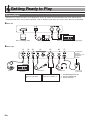
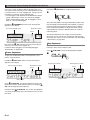
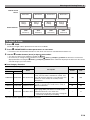
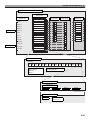
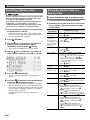
Built-in sound
source
Zone Part 1
Zone 1
settings
Zone Part 2
Zone Part 3
Zone 2
settings
Zone 3
settings
Zone Part 4
Zone 4
settings
External device
(MIDI
Channel 1)
(MIDI
Channel 2)
(MIDI
Channel 3)
(MIDI
Channel 4)
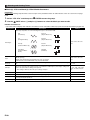
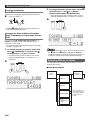
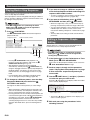
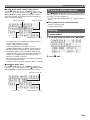
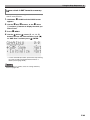
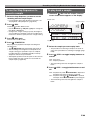
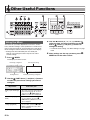
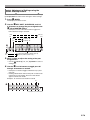
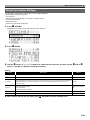
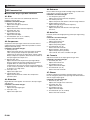
To select a tone
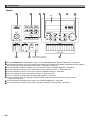
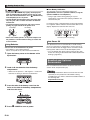
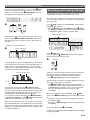
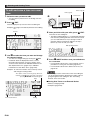
1. Press 7 TONE.
The button will light and the Synthesizer will enter the Tone Mode.
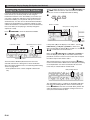
2. Press bq PRESET/USER to select preset tones or user tones.
• Preset tones are selected while the button is unlit, while user tones are selected while the button is lit.
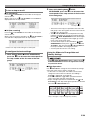
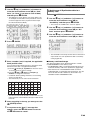
3. Use the bq number buttons (0 to 9) to input a tone number.
bp
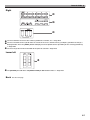
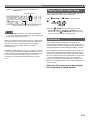
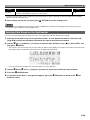
• You also can select a tone number by rotating the
dial.
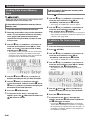
• One more way to change the tone number is to use the
minus (–) and plus (+) buttons to decrease or increase the
displayed number. Pressing the
minus (–) and plus (+) buttons at the same time will jump to the first tone in the current
selected category (see next section).
br
br
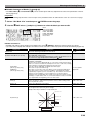
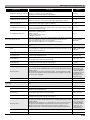
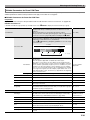
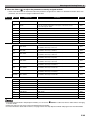
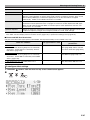
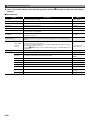
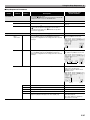
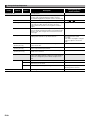
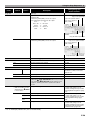
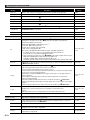
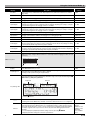
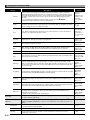
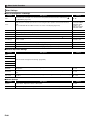
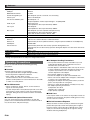
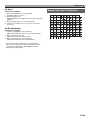
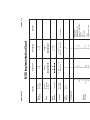
■ Tone Category Overview
Category
Number
Preset
User
P000-P099 U000-U099
Number of Tones
Description
Name
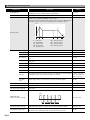
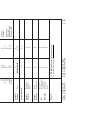
Solo Synthesizer
This category contains traditional analog synthesizer
tones. You can select a waveform as a base, and
then edit the three elements of a sound (pitch, tone,
volume) to create exactly the sound you want.
Monophonic.
P100-P399 U100-U199 PCM Melody Tone The tones in this category let you use sampled
sounds to reproduce the sounds from a variety of
P400-P419 U300-U309 PCM Drum Tone different instruments.
–
U200-U210
User Wave Tone
Edits the wave of a sound recorded with the sample
looper (page E-64). The wave of a sound can be
edited and saved as a user wave tone.
• User wave tone U210 is a tone that is changed in
real-time by sample looper recording.
Preset
User
100
100
300
100
20
10
–
11
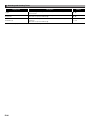
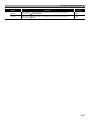
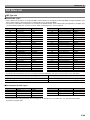
• See the separate “Appendix” for a complete list of tones.
E-19