1
4.
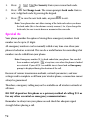
Enter your new greeting (Up to 16 characters).
5.
Press
to save.
Contrast
The LCD has contrast setting that can help you see the screen better in different
lighting conditions.
To set the LCD contrast:
1.
In standby mode, press
to display the Main menu.
2.
Press
for Display.
3.
Press
for LCD Contrast.
4.
Scroll between the contrast settings to determine what contrast is most
visible to you.
5.
When the desired contrast setting displays, press
to save.
Version
You can view both the software version and hardware version running on your
phone. This feature is helpful if you need to call your carrier.
Note: You can press
to return to the previous menu at any time.
1.
In standby mode, press
to display the Main menu.
2.
Press
3.
Press
for Version. The hardware and software information is
displayed.
4.
Press
for Display.
to return to standby mode.
Delete
This feature allows you to delete downloaded images.
To delete a download:
Note: You can press
to return to the previous menu at any time.
69