1
Crestron TPS-XTXRF
Two-Way RF Transceiver Module
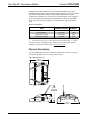
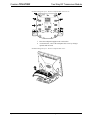
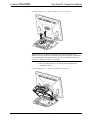
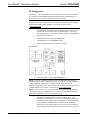
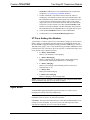
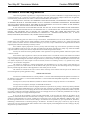
Installation Diagram 1 of 12 - Remove Touchpanel Base Cover Screws
CLEAN PANEL WITH SOFT CLOTH ONLY
ELECTRONICS, INC
Rockleigh, NJ 07647
U.S.A.
READ INSTRUCTION MANUAL BEFORE OPERATING
NO USER SERVICABLE PARTS UNDER THIS COVER
ELECTRONICS, INC
Rockleigh, NJ 07647
U.S.A.
FCC ID: EROTPS-6000
SEE MANUAL
USE POWER PACK PW-2420RU
TPS-6000
ZA*****
C000000
7.
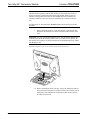
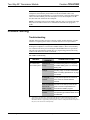
Place the touchpanel upright on the work surface.
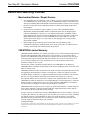
8.
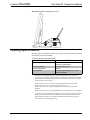
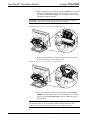
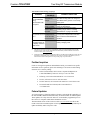
As shown below, remove the touchpanel base cover by raising it
upwards and rearward.
Installation Diagram 2 of 12 - Remove Touchpanel Base Cover
Operations & Installation Guide - DOC. 5844
Two-Way RF Transceiver Module: TPS-XTXRF • 7