1
Settings
Your appliance is supplied with a
number of standard default settings.
Settings cannot be altered while a
cooking programme is in progress.
To change a setting:
^ Select "% Settings".
The list of options will show in the
display.
^ Use the ; or ? sensor to select the
setting you want and confirm with the
OK sensor.
Settings which are currently selected
are marked with a L.
If you do not make another selection
within approx. 15 seconds after
selecting a setting, the display will
return to the Settings list.
– Language J
– Time
Language J
– Lighting
You can set the language you want the
display to appear in.
– Catalyser
– Cooling fan run-on
– Pyrolytic
– Heating phase
– Recommended temperatures
– Boost
After selecting and confirming
"Language", the language you have
selected will appear in the display.
If you have selected the wrong
language by mistake, you can follow
the flag symbol J to get back to the
Language J menu.
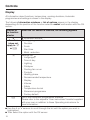
– Display
– Volume
– Safety
– Temperature format
– Showroom programme
– Factory default
^ Select the setting that you want to
change by touching the ; oder ?
sensor, and confirm with OK.
33