1
INSTALLER/CONFIGURATION MENU
a tur
e Limit R
18) Hea
Heatt Temper
empera
ture
Rang
ange
ang
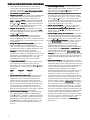
e – This feature adjusts
the highest setpoint temperature for heat. The default
setting is 99°F. It can be changed between 62°F and
temper
a tur
e
or
key. The "temper
tempera
ture
98°F by pressing the
limit
limit" icon will be displayed to the left of your setpoint
temper
a tur
e
temperature when using this feature. The "temper
tempera
ture
limit
limit" icon will flash if an attempt is made to adjust the
temperature beyond the range selected.
a tur
e Limit R
ang
e – This feature adjusts
19) Cool Temper
empera
ture
Rang
ange
the lowest setpoint temperature for cool. The default
setting is 45°F. It can be changed between 46°F and
temper
a tur
e
or
key. The "temper
tempera
ture
82°F by pressing the
limit
limit" icon will be displayed to the left of your setpoint
temper
a tur
e
temperature when using this feature. The "temper
tempera
ture
limit
limit" icon will flash if an attempt is made to adjust the
temperature beyond the range selected.
kout – This step allows you to select the
20) Keypad Loc
Lock
type of lockout or limited range security required. If no
to
lockout or limited range security is required, press
advance the menu.
Three security settings are available in this menu item.
or
keys to select the lockout desired.
Use the
Lockout selections are:
Keypad Loc
kout and L" = Total Lockout. Total Lockout
"K
Lock
locks all keys.
kout and P " = Partial Lockout. Partial LockKeypad Loc
"K
Lock
or
keys to operate within your
out allows only the
set temperature limits.
Temper
a tur
e Limit
Ke ypad Loc
kout
"T
empera
ture
Limit/K
Lock
out" prevents
changing the temperature limits in the Configuration
Menu.
Keypad Lockout Combination Number Selection
kout
OFF
Keypad Loc
out".
Display will read "OFF
OFF" "K
Lock
Skip this step and continue through the configuration
menu items 19 thru 22 if you require an Air Filter Change
out indicator or Humidifier Pad Change out indicator by
button to advance.
pressing the
Return to this point when you are ready to start your
selected lock-out and continue by:
or
keys to select ON.
Pressing
000
000".
Press . Display will read "000
or
keys to select your keypad lockout
Pressing
000
combination number. Note: "000
000" is not a valid
combination choice.
Record the number you select for future use.
to exit the menu. The security feature you
Press
select will start in 10 seconds. The system button will
remain active for 10 seconds to allow setting Heat, Off,
Cool or Auto.
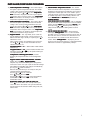
21) Select Remote Temperature Sensor – This control
allows one wired remote temperature sensor (indoor or
outdoor) be connected to it and indicates the measured
temperature in clock digits. This menu enables you to
select the remote sensor and also configure it as indoor
or outdoor temperature sensor. Factory default is off.
Select Remote On and Remote in (for indoor) or
Outdoor R
emote
Remote
emote.
Local Temper
a tur
e Sensor disa
b le – This is applicable
empera
ture
disab
only when indoor remote temperature sensor is enabled.
Factory default is On LS
LS. You can make it Of
Offf LS if you
or
touch keys.Then, only the
desire by using
indoor remote temperature reading will be used for
control.
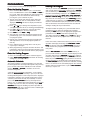
e Filter R
un Time – The thermostat
22) Select Chang
Change
Run
Chang
e Filter
will display "Chang
Change
Filter" after a set time of blower
operation. This is a reminder to change or clean your air
filter. This time can be set from 25 to 1975 hours in 25
hour increments. A selection of OFF will cancel this
Chang
e Filter
feature. When "Chang
Change
Filter" is displayed, you can
clear it by pressing Clean Display. In a typical application,
200 hours of run time is approximately 30 days.
7