1
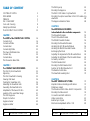
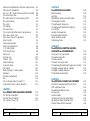
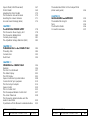
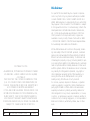
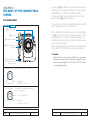
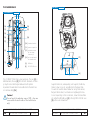
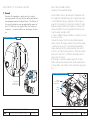
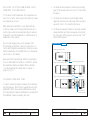
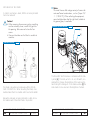
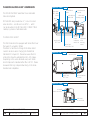
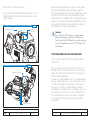
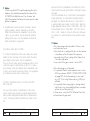
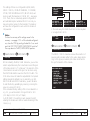
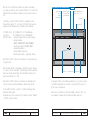
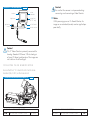
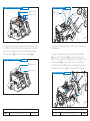
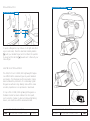
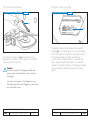
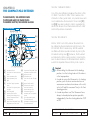
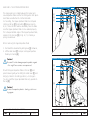
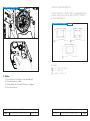
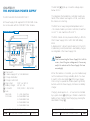
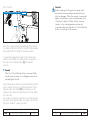
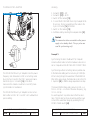
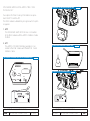
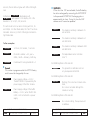
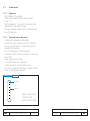
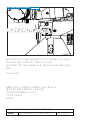
THE SYNC-IN CONNECTOR
2
1
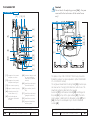
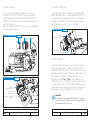
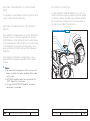
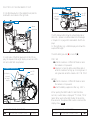
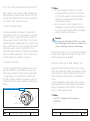
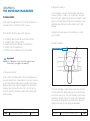
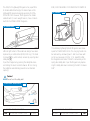
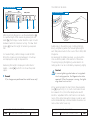
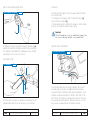
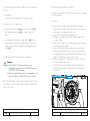
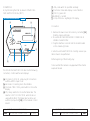
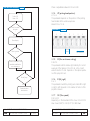
Handling of the FRAME RATE features:
fig.11/5
3
4
1
2
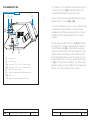
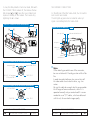
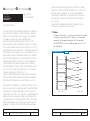
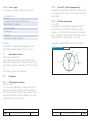
SYNC IN
MAINS IN 5V AC MAX
3
4
MAINS IN 5V AC MAX
GND (Ground, Return for Pilot)
Socket type: FISCHER D 103 A 053
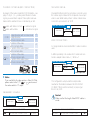
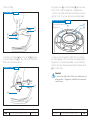
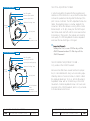
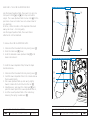
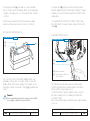
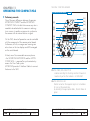
THE SPEED CONTROL
Forward filming 1 to 50 fps,
Reverse filming 12 to 32 fps.
The specific acceleration or deceleration time within the
camera should change to the next preselected frame
rate [FPS-2] can be adjusted within the range from 1 to
99 seconds.
The camera can be very precisely programmed [FPS-1]
and may therefore be used to synchronize with video
and computer screens in case no synchronization cable
connection is available.
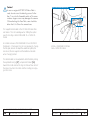
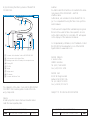
The frame rate can also be remote controlled with the
Moviespeed Remote Control Unit plugged into the
[REM] connector [33].
11 – OPERATING THE COMPACT MK2
220
MOVIECAM COMPACT Mk2
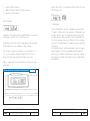
Reverse filming is indicated by the sign “minus” – in front
of each frame rate on the displays of Mk2 and Readout
Unit resp. Remote Control Box.
Although the time and [FPS-2] functions are not relevant
in this case, the input unit time [38] has to be set to at
least 1 second and the unit [FPS-2] [39] between 2
and 50 fps when shooting forward or 12 to 32 when
shooting reverse is intended.
▲
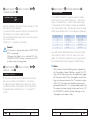
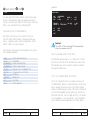
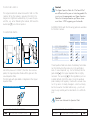
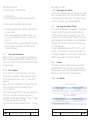
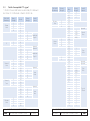
With the MOVIECAM COMPACT Mk2, the following
frame rates can be chosen with an accuracy of 0.001
fps:
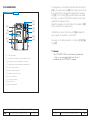
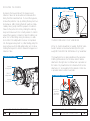
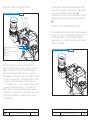
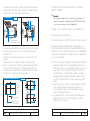
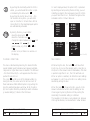
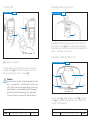
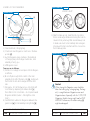
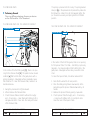
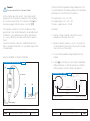
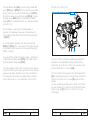
Feed the desired frame rate into the FPS-1 Input Unit
[28] and set the slide switch [25] to the desired option,
[FWD] or [REV].
Remarks
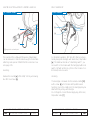
A frame rate outside the range of +1 to +50 fps or
-12 to -32 fps will be indicated by Fps! flashing
on the FPS display [37].
Even though no ramp is intended, the TIME input has
to be set to a value enabling a ramp between FPS-1
and FPS-2. Otherwise, Time will show up.
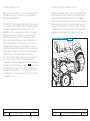
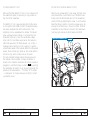
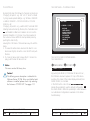
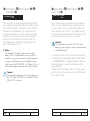
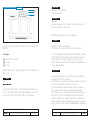
Changing the frame rate while shooting:
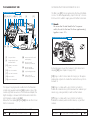
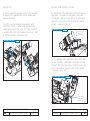
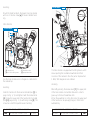
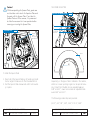
When activating the camera with one of the Run/Stop
buttons, the camera runs with the preset frame rate
[FPS-1] and the FPS-1 LED glows green.
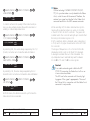
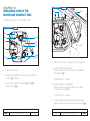
When the camera runs with frame rate [FPS-1], change
to frame rate [FPS-2] by pressing the Ramp button. As
soon as the frame rate [FPS-2] is reached, the LED marked FPS-2 lights up.
11 – OPERATING THE COMPACT MK2
04/2007
04/2007
MOVIECAM COMPACT Mk2
221