1
recent data is stored and you do not need to add additional memory once the capacity
is reached. You may set the video record time to 2 minutes, 5 minutes, or 10 minutes
of recording before the camera begins recording a new clip.
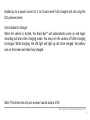
3) When not plugged into a power source and the battery gets low, the battery icon
will turn red and begin flashing on the screen. After 20 seconds, this camera will
automatically save the current file and shut down.
4) If you need reset your Black Box™, press and hold the RESET button for 3 seconds
then release. The reset button is located above the USB port on the camera and can be
accessed with a pin.
5) RED “F” On Screen- If a red letter “F” appears on your screen, your camera is
indicating that your memory card is full. This should only happen if your G-Sensor has
locked too many files for the camera to continue recording. In this case, it will be
necessary to delete the files by using a computer. This will free up space on your
memory card and allow you to continue recording. Please note, you cannot delete
locked files from the camera. These files must be deleted by using a computer.
Blue Tiger USA | www.bluetigerusa.com
19