1
Installing EZ 250 with the option of the
contact closures
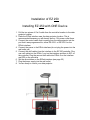
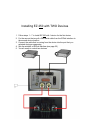
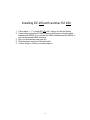
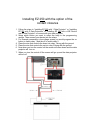
1. Follow the steps in “Installing EZ 250 with 1 Data Projector” or “Installing
EZ 250 with 2 Data Projectors” or “Installing EZ 250 with a LSE Device
and a Data Projector” to connect with your data projector.
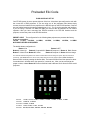
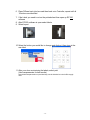
2. Setup which button you want to select the relay in the programming
section. Then connect your device into the relays.
3. For Example connecting a low voltage screen you would program the on
button to switch relay 1 and the off to switch relay 2.
4. Place the wire that controls the down into relay 1 along with the ground
5. Place the wire that controls the up into relay 2 along with the ground
6. Now when you turn the control on the screen will come down and the data
projector will turn on
7. When you turn the control off the screen will go up and the data projector
will turn off
- 23 -