1
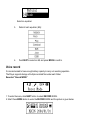
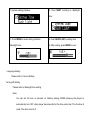
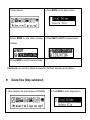
3. Push NEXT or LAST to choose ‘Single file’ or ‘All
4. Push MODE to enter delete interface.
files’
5.Push NEXT to choose “YES”
6. Press MODE to confirm delete
‘Delete all’ will delete all files in current folder of current MODE. Selecting ‘Delete all’ in the
Music mode will delete all music files, Recorded files will not be affected.
Safely remove the Player and disconnect the USB cable after deleting files on your PC or some files
may not be removed.
z
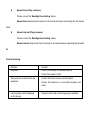
Play MODE (Play submenu)
You can choose different PLAY modes (i.e. repeat, shuffle) when playing music or
recorded files.
The first option on PLAY submenu is ‘Play Mode’
○ REPEAT