1
BROADBAND
ALARM COMMUNICATOR
TROUBLESHOOTING (cont.)
customer can contact the router manufacturer for assistance in updating its
firmware, if needed.
Are there two routers?
If there are two routers connected to the network, then some devices will have
trouble staying connected to the Internet. To fix this, turn off routing (DHCP) on
the router that is not connected directly to your cable or DSL modem. Only one
router should give IP addresses to devices on the network.
Are you using a wireless bridge?
Wireless Ethernet bridges such as the Uplink® 5300 can make installing the
Uplink 5200 easy by eliminating the need to use an Ethernet cable. However, if
WiFi signal is poor or the unit is not correctly set up, then they can cause many
connection problems.
If you are using a wireless bridge, then remove the bridge and connect the
Alarm Broadband Adapter directly to the router. This is a test only, to eliminate
the bridge as a potential problem. You do not need to connect the alarm system
to the Alarm Broadband Adapter during this test. Simply connect the Alarm
Broadband Adapter directly to the router for about 30 minutes, and see if the
connection stays on.
Does your customer use a Linksys router?
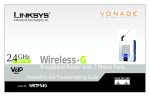
If your customer uses a Linksys router such as the Linksys WRTP54G, then one of
its security settings may interfere with the 5200’s operation. Log into your router
using a web browser, click on the Security tab, and turn off “Block Anonymous
Internet Requests”.
10