1
MOG.book Page 8 Wednesday, January 11, 2012 2:57 PM
TAB 8
TAB 7
TAB 6
TAB 5
TAB 4
TAB 3
TAB 2
English
INTRODUCTION
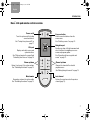
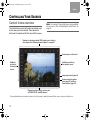
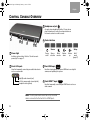
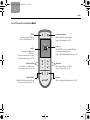
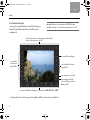
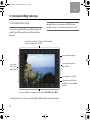
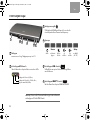
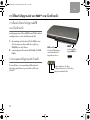
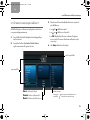
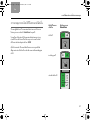
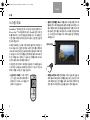
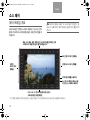
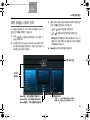
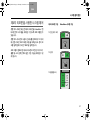
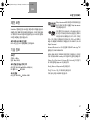
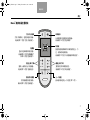
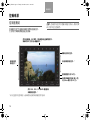
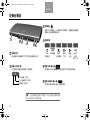
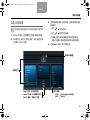
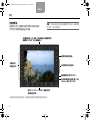
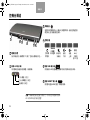
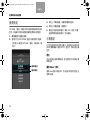
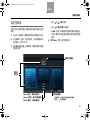
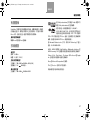
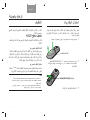
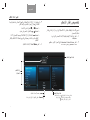
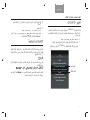
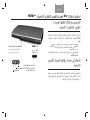
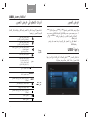
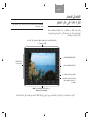
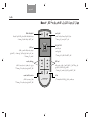
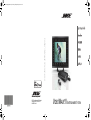
Control frame overview
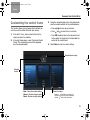
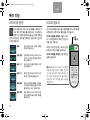
The control frame consists of functions or controls used
by the source you have selected. These replace the
buttons on the remote control that came with the source.
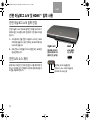
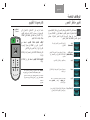
Note: The content of the control frame can be modified
for each source. See “Customizing the control frame” on
page 29.
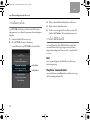
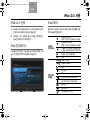
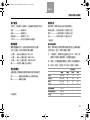
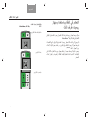
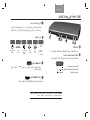
Numbers for entering channel, DVD chapter, music track, or
disc number. See “Entering channel numbers” on page 16.*
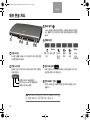
Source power on/off control.
Additional
controls for
the selected
source.*
Additional controls for
the selected source.*
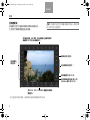
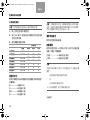
Image view control (page 18).
Source and system options
menu (page 23) and Bose
Demonstration (page 24)
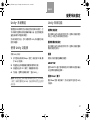
Playback controls used for sources such
as DVR, DVD, CD, and MP3 players.*
*For more information on using these controls, refer to the owner’s guide that came with the source you have selected to use.
8