1
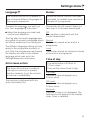
Favourite programmes
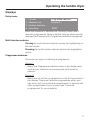
You can programme your four most frequently used drying
programmes to appear in the left hand side of the display.
The Save option must be activated via the
Settings/Supervisor level menu before they can be
programmed. This must be done by a Miele service
technician.
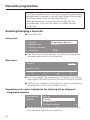
Selecting/changing a favourite
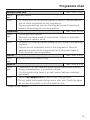
^ Close the door.
Entry menu
1
Cottons
Programme selection ...
2
Minimum iron
Settings F ...
3
Woollens handcare
4
Smoothing
10:00
^ Use the multi-function selector to select the programme
you want and confirm your selection.
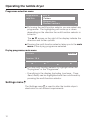
Main menu
Cottons
Normal
Duration: 1:16 h
Low temp.
H
Timer Y
H
Save
H
Back A
H
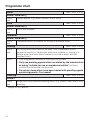
^ You can highlight the programme (Cottons) or the drying
level again (Normal) by turning the multi-function selector.
^ Confirm your selection of the part you want to change by
pressing the multi-function selector once.
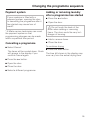
Depending on the option highlighted, the following will be displayed:
– Programme selection
Programme
selection
Back A
Cottons
Minimum iron
Woollens handcare
H
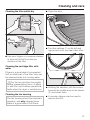
^ Use the multi-function selector to select the programme
you want and confirm your selection.
18