1
3.0 The Programmers
3.1
Getting Started
1. Ensure that both gas and electricity are turned on to the
appliance.
2. The Gas Safe registered installer will have set-up the appliance to
a programme of your choice and it should be providing heat and
hot water in line with your requirements. These can be altered via
the THINK Controller. Section 5.0 and 6.0 detail how the timings
and settings for your heating and hot water can be changed.
3.2
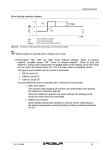
THINK Controller
1. The THINK Controller displays important information about how
the appliance is working and allows you to alter settings to
configure the operation to your requirements.
2. This is normally located at the base of the appliance on the front
cover. It can be removed from the appliance to act as a
programmable room sensor when mounted in a wall cradle
accessory. This then becomes a temperature sensor and
programmer.
3. If your Ecogen appliance has been installed using the existing
room temperature and time controls the installer should have made
sure that the appliance programs for the central heating and
domestic hot water are set to 24hr operation – see sections 7.1
and 7.4 - choose ‘On’ in both cases.
4. Refer to the instructions for the existing programmers for setting
the timed periods and the room temperatures. The THINK
Controller will display the boiler flow temperature and any errors
see section 9 onwards.
3.3
THINK Controller
Installing the THINK Controller as a
Programmable Room Sensor
1. The Wall Cradle accessory is available in two formats.
a) Hard Wired i.e fixed to a wall, the screen illuminates upon
operation.
b) Wireless Cradle, mounted and portable, with no permanent
screen illumination.
2. The operation of both wireless and hard wired units are identical.
3. The Wireless Cradle is powered by three AA batteries located in
the rear of the unit behind a slide down panel. If battery power is
depleted a warning symbol appears on the display screen, replace
the batteries.
3.4
5 LED Receiver
1. The 5 LED Receiver is fitted when the THINK Controller is
removed and gives basic information about the state of the
appliance from left to right:Wall Cradle (Accessory)
Reset Button
5 LED Receiver
© Baxi Heating UK Ltd 2012
1st Green
2nd Green
1st Yellow
2nd Yellow
Red
-
Mains On
Communication Status
Engine Burner On
Supplementary Burner On
Fault Present
2. The Reset Button may be used to reset User Errors - see Section
11.0.
5