1
BEEP
If another signal source is
connected to the CD changer input, you must switch
AUX to ON. Press “SRC” to
select the “AUX” function.
“AUX” will appear in the display.
Acknowledgement tone for
all functions which require a
button to be pressed for
more than one second.
The volume can be adjusted
from between 0 to 9. (0 =
off)
CLK. 12/24
Switches between 12-h and
24-h clock display.
CD DISP.
To select the NAME or
TIME display mode.
Refer to the section on “Selecting the display mode “.
CDC DISP
To select the NAME, TIME
or CD number for the CD
changer.
CD NAME
Appears only during CD
playback.
Use this function to give
your CDs individual names.
Refer to the section on “CD
naming”.
DISP.
ON/OFF. Here you can set
the clock to permanent display when the audio system
is switched off. The clock
display will remain visible
until the ignition is switched
off.
CLOCKSET Sets the clock manually.
Refer to the section on
“Clock”.
55
BA DavHanSt.MorRDM169 gb 95%
55
17.06.2002, 12:43 Uhr
DEUTSCH
ENGLISH
FRANÇAIS
CLK. AUTO Automatic hour correction
using the RDS/CT signal.
Refer to the section on
“Clock”.
ITALIANO
AUX IN
Switches off hour correction
function.
Read the information in the
section on “Clock “.
NEDERLANDS
MW OFF - LW, FM only
LW OFF - MW, FM only
AM OFF - FM only
CLK. MAN.
SVENSKA
AM ON/OFF It is possible to block out
one or both of the AM wavebands (MW/LW).
This means you will select
only the wavebands you
want when you press “BA/
TS”:
AM ON - all wavebands are
available
ESPAÑOL
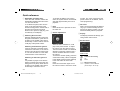
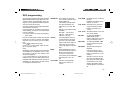
The car radio has been equipped with DSC
(Direct Software Control) to allow you to customise certain programmable, basic settings to suit your personal needs and preferences and then store them.
The basic settings for this audio equipment
were made at the factory.
In the following you can find an overview of
these settings, so that you can always reset
to them if desired.
If you wish to alter any of the programming,
• press “DSC”.
Use the rocker switch to select and set the
functions you wish to change. The display
will show you the setting you have selected.
Press / to select the function.
Press << />> on the rocker switch to change or recall the values.
Note:
Whether the settings listed in the following
are available or not depends on the car audio system model and the features with
which it is equipped.
If you cannot select any of the functions listed here, then your car audio system is not
equipped with that feature and it cannot be
adjusted as a result (also see the section
on “Equipment features list”).
PORTUGUÊS
DSC programming