1
Menu Setup
6. OSD MENU
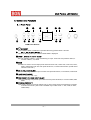
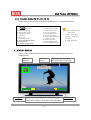
6-1. VI DEO Setup
▪ Br ight ness : Adjusts brightness.
▪ Cont r ast : Adjusts Contrast.
▪ Chr oma : Adjusts Chroma.
▪ Phase(Hue): Adjusts Phase.
▪ Shar pness : Adjusts Sharpness.
▪ NTSC Set up : Selectable among 0 IRE,7.5 IRE
VIDEO MENU
7.5 IRE -> -> Operates at NTSC or YUV Mode .
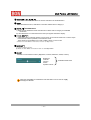
▪ Dithering : sets gradation effect.
ON -> makes screen gradation smooth
(Recommended to turn Dether ON if 8bit output)
Off -> without gradation effect, it outputs into screen
▪ VGA Color Set ▪ VGA Display Set :
Activates only in VGA Input. mode. There are Default
mode and User Adjust Mode.
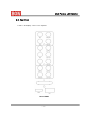
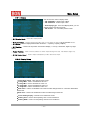
6-1-1. VGA COLOR setup
This menu is applied VGA input mode only.
▪ Red Gain : Controls Gain of Read input.
▪ Gr een Gain : Controls Gain of Green input.
▪ Blue Gain: Controls Gain of Blue input.
▪ Red Bias ▪ Gr een Bias▪ Blue Bias : Controls offset
of each Bias.
!
VGA Color Set : You can control each value of R.G.B among YPbPr, RGB, VGA input
mode only.
-- 16 --