1
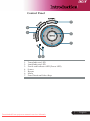
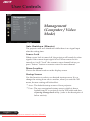
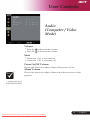
User Controls Audio (Computer / Video Mode) Volume Press the Press the Mute to decrease the volume. to increase the volume. Choose the “On” to turn mute on. Choose the “Off” to turn mute off. Power On/Off Volume Choose this function to adjust volume when power on/off. Alarm Volume Choose this function to adjust volume when there are errors of the projector. Audio menu is for XD1150D/XD1250D. 31 ... English Downloaded From projector-manual.com Acer Manuals