1
Advanced Features
Advanced
Features
Playback
Playback
4
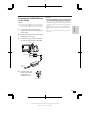
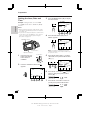
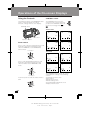
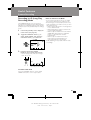
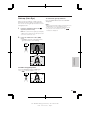
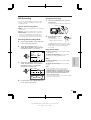
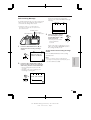
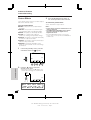
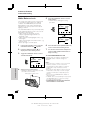
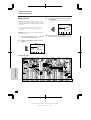
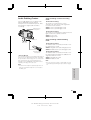
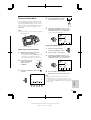
Playback Zoom
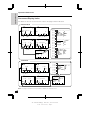
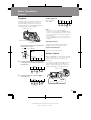
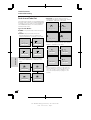
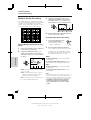
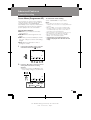
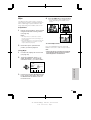
Press the B (C), A (
), D (B) or C
(A) button to shift the displayed image.
The playback zoom function allows you to
magnify the playback picture up to 10 times of
the original size.
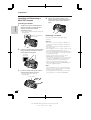
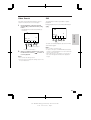
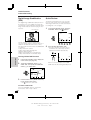
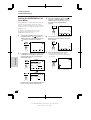
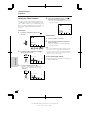
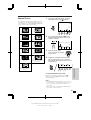
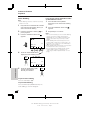
1
PB ZOOM
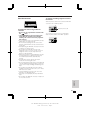
During playback, press the CONTROL
switch until
appears.
AUD I O 1 + 2
SP
EX I T
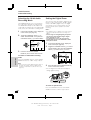
To cancel Playback Zoom
SP
AUD I O 1 + 2
PB
AUD I O
ZOOM DUB .
2
Notes:
• To pause the playback picture, press the PAUSE/
STILL button ( ) on the remote control.
• Use of the Playback Zoom may cause a reduction in picture quality for still images.
• You cannot transfer images to a personal
computer in Playback Zoom mode.
• The Playback Zoom cannot be used with the
STRETCH or SLIM EFF. Picture Effect
Playback.
SE ARCH
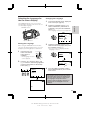
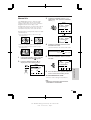
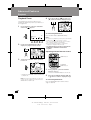
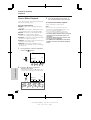
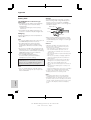
Press the PB ZOOM button (C) to
display the playback zoom screen.
PB
ZOOM
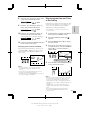
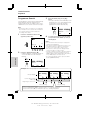
Press the EXIT button (MODE DISPLAY).
PB ZOOM
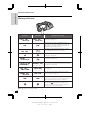
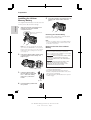
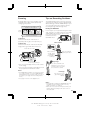
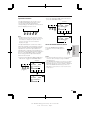
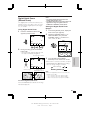
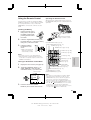
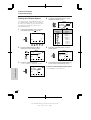
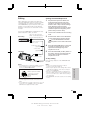
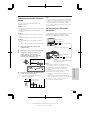
Operating with the Remote Control
AUD I O 1 + 2
SP
ZOOM buttons
EX I T
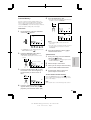
3
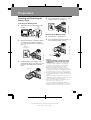
Toggle the CONTROL switch upwards
to zoom in.
PB ZOOM
Advanced Features
PLAYBACK
ZOOM buttons
AUD I O 1 + 2
SP
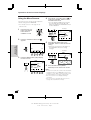
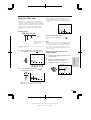
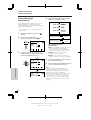
1
EX I T
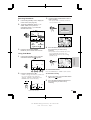
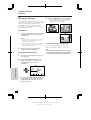
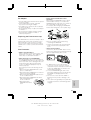
During playback, press the ZOOM T
button to zoom in.
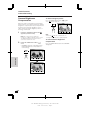
• Press the ZOOM W button to zoom out.
• Toggle the CONTROL switch downwards
to zoom out.
2
Note: The Power Zoom/Volume control can
only be used to adjust the volume when the
VIEWCAM is in VCR mode.
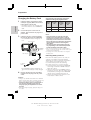
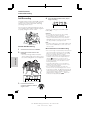
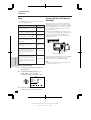
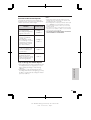
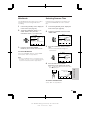
To cancel Playback Zoom
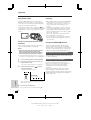
Press the PLAYBACK ZOOM ß, ©, ƒ
or ∂ button to shift the displayed image.
Press the ZOOM␣ W button until the widest
angle is obtained.
59
VL-SD20S-GB/pp. 059-063; 99/7/2/18:00
G. K . A s s o c i a t e s , To k y o