1
Quadro Manual III: Extension User's Guide
Quadro’s Auto Attendant Services
Quadro’s Auto Attendant Services
Quadro’s Auto Attendant provides remote access to the Quadro voice connectivity services. Specifically, it supports remote connection to Quadro
extensions along with their mailboxes and making pass-through calls to other destinations. Remote access to the Quadro auto attendant is possible
through IP and PSTN calls.
Quadro’s Auto Attendant can be accessed locally, remotely from the IP network (by dialing Auto Attendant’s SIP address) and from the PSTN
network (by dialing Quadro’s PSTN number) if the calls addressed to the Quadro’s PSTN number are routed to the Auto Attendant.
Attention: If the Auto Attendant authentication attempts fail consecutively five times, Quadro’s Auto Attendant will become unavailable for the next 5
minutes.
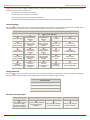
The Auto Attendant services are divided several feature groups, but only Connection Service and Extensions Directory are supported by the
voice messages which helps the caller to navigate within the area using the telephone handset buttons. Other services are available using the
appropriate call code, but are not supported by voice messages. Thus, they are hidden for external callers.
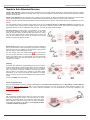
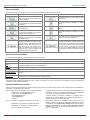
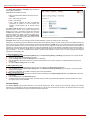
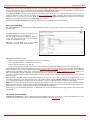
Connection Service provides access to all extensions of the Quadro
device without restrictions. All Quadro extensions may call each other
dialing the extension number. All external callers (using PSTN or IP calling)
can reach each Quadro extension dialing Quadro’s phone number and
using the Auto Attendant’s voice menu to be connected to the desired
extension by entering the extension number.
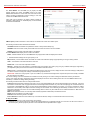
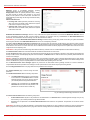
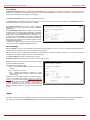
Remote Enquiry allows access to the mailboxes of Quadro’s extensions
(both, active or inactive) in order for example to check the voice messages
left for an absent user. The mailbox may be protected by a user password
(optional, set by the system administrator or user).
You may remotely access your mailbox dialing Quadro’s phone number
and using the Auto Attendant’s voice menu (key a for Voice Mail) and
entering your password (if any). To navigate within your voice mails use the
Voice Mailbox service call codes (for example dial 8 to hear the last
message in your mailbox).
Call Relay
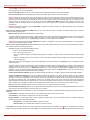
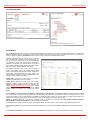
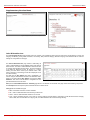
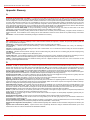
The Quadro Auto Attendant is registered at Epygi’s SIP server by default.
It may be used similar to a private switching center if the Auto Attendant is
routed to a particular telephone line (FXO, ISDN or E1/T1) as a “default
user”. It then allows, for example, establishing cost-saving long-distance
calls via PSTN to the Quadro Auto Attendant at the United States
headquarters, via IP to the remote Quadro Auto Attendant in the Office
Asia or via PSTN to the other desired destinations (see Quadro’s Feature
Codes).
Access to Call Relay needs authorization.
Remote Configuration Menu
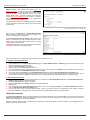
This menu allows extension owners to remotely enable/disable the Unconditional Call Forwarding service for Any Address or Other Addresses
entries of the Caller ID Based Services table on the corresponding extension, as well as to change the certain forwarding number in the
Unconditional Call Forwarding table. This menu requires extension authorization. For more details about the access key combinations, see
Forwarding Management.
Call Back
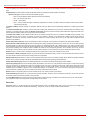
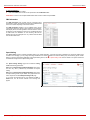
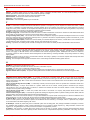
With the Quadro's Call Back service callers can save the call charge
when calling to/through the Quadro to the third party SIP or PSTN
destinations. The Quadro allows you to configure a list of trusted callers
that are allowed to make free of charge calls. Two types of Call Back
configurations are available on the Quadro: Pre-configured Call Back
and Remote Call Back Configuration.
Quadro2x, 2xi, Quadro4x, 4xi, Quadro16x, 16xi; (SW Version 5.2.x)
11