1
Operating Instructions
Busch-ComfortTouch ®
–
Operation
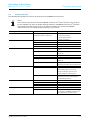
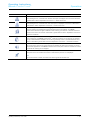
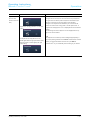
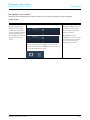
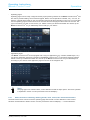
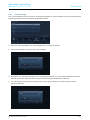
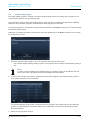
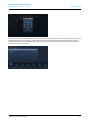
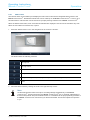
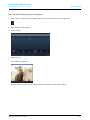
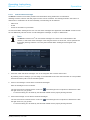
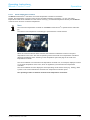
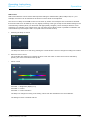
Specify the validity via the selection on the right-hand side.
Property
Description
Always
The weekly program is continuous.
When on holiday
The weekly program runs only within the specified holiday interval.
When not on holiday
The weekly program stops within the specified holiday interval.
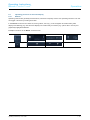
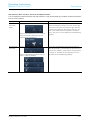
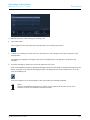
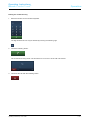
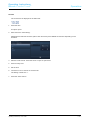
Switch the displayed values on and off via ON / Off.
4.
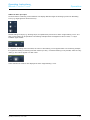
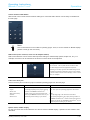
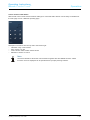
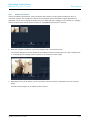
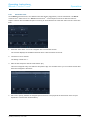
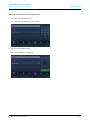
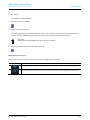
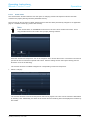
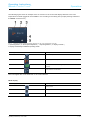
Adjust the start times via "Set start time".
5.
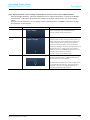
Select the day(s) in the upper bar.
6.
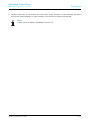
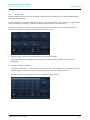
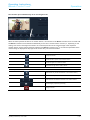
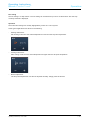
Set the start time.
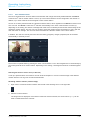
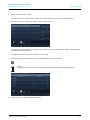
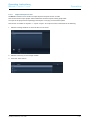
By setting a tick you can also specify whether the Astro function is to be activated.
The Astro function can, for example, be used to automatically raise or lower blinds a few minutes earlier
or later each day in dependence of the annual season. A blocking function with "Not before" and "Not
after" fixes the blocking times before or after which no functions are carried out. For this, a tick must have
been set in the blocking function.
7.
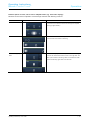
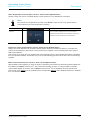
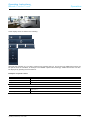
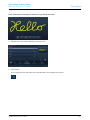
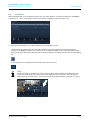
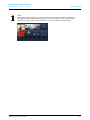
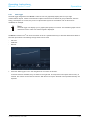
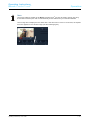
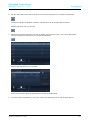
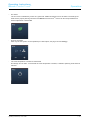
Touch the "Hours" or "Minutes".
The setting is made via -/+.
8.
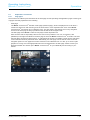
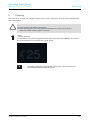
Press "OK".
You return to the overview of processes.
Note
The weekly programs can also be changed during the running time via the system settings (see
also chapter 5.4.18 "System settings"). For example, when the holiday ends one day earlier the
weekly program can be terminated accordingly.
Pos: 15.6.18 /Layout bis 2014-11-11/Online-Dokumentation (+KNX)/Steuermodule - Online-Dokumentation (--> Für alle Dokumente <--)/++++++++++++ Seitenumbruch ++++++++++++ @ 9\mod_1268898668093_0.docx @ 52149 @ @ 1
Operating Instructions | 1473-1-8041
— 48 —