1
Introduction
First Operation of the Answering Machine (only COMfortel 2500)
First Operation of the Answering Machine (only COMfortel 2500)
The COMfortel 2500 can be expanded with the function COMfortel Voicemail (answering
machine, backup etc.) by inserting a standard SD card and the release in the Upgrade Centre
(chargeable).
☞
Insert the SD Card and start it
Important
After inserting the SD card the SD card functions (e.g. answering machine) are released for
30 days one-time. To use the functions after this time a chargeable release of the function
COMfortel Voicemail via Upgrade Centre is necessary (see page 21).
SD cards that match to the SD memory card specification 1.01 are supported. Therefore SD
cards with a capacity of up to 2GB are possible. Larger SDHC cards according to the SD
memory card specification 2.00 are not supported.
For the correct function a SD card formatted with FAT16 is necessary. A SD card formatted
with FAT32 can be reformatted in the telephone (see page 218).
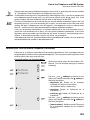
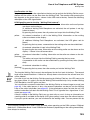
Insert the SD card as follows:
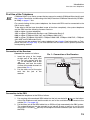
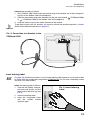
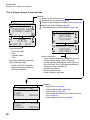
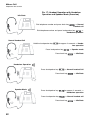
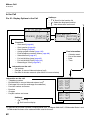
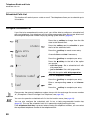
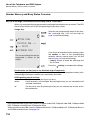
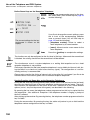
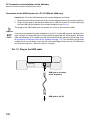
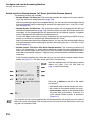
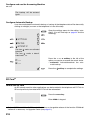
1. Open the plastic cover that is on the left side on the back of the system telephone (see
Pic. 6).
2. Insert the SD card with the contacts first into the slot (see Pic. 6).
Pic. 6: Insert the SD Card
SD card
SD card slot on the
back of the telephone
3. Close the plastic cover again.
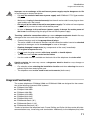
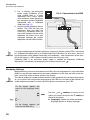
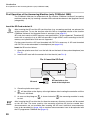
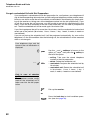
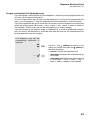
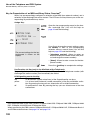
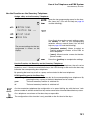
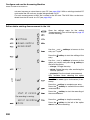
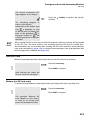
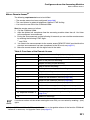
4.
will be visible on the display at the right bottom after inserting the controller until the
SD card is initialized.
5. As soon as the pictogram
to start.
☞
Advice
20
is shown instead of
the answering machine is ready
After inserting the SD card for the first time the necessary directory structure will be created
on the SD card. The tones used by the answering machine will also be created then.
Announcements are not available after inserting the SD card. Individual announcements
have to be recorded first (page 199) or standard announcements have to be uploaded with
the PC programme COMfortel Set (page 21).