1
D6600 | System Guide | 1.0 Introduction
.
2.0 Overview
Trademarks
Trademark names are used throughout this
document. In most cases, these designations are
claimed as trademarks or registered trademarks in
one or more countries by their respective owners.
Rather than placing a trademark symbol in every
occurrence of a trademark name, Bosch Security
Systems, Inc. (hereinafter referred to as Bosch) uses
the names only in an editorial fashion and to the
benefit of the trademark owner with no intention of
infringing the trademark.
Microsoft, Windows, Windows 2000, Windows XP,
Windows Vista, and Windows 7 are either registered
trademarks or trademarks of Microsoft Corporation in
the United States and/or other countries.
The Conettix D6600/D6100i System supports data
network communications. Conettix allows the
D6600/D6100i Receiver to connect to Ethernet
networks and process messages to and from most
networks using User Datagram Protocol/Internet
Protocol (UDP/IP) protocol. Connection to a data
network can be implemented through a COM4 or
COM1 connection from the D6600 to the
D6680/D6682 or directly from the D6100i Ethernet
port. Reports from alarm control panels through
phone lines or Ethernet data networks can be sent to
the D6600/D6100i and the central station automation
software. Alarm control panels can be monitored on
the network for their status.
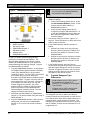
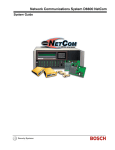
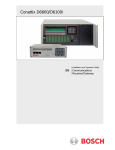
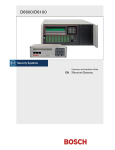
Figure 1:
D6600 Communications
Receiver/Gateway
Figure 2:
D6100i Communications
Receiver/Gateway
1.0 Introduction
This system guide covers the installation, operation
and programming of the D6600/D6100i Conettix
Network Communications .
References are made to the following control panels:
D9412GV2, D7412GV2, D7212GV2, D9412G,
D7412G, D7212G, D9412, D9112, D7412, and
D7212. Throughout the remainder of this manual,
these control panels are referred to as “Bosch control
panels.”
1.1
Other Literature Referenced
This manual refers to other documentation with
additional information. Table 1 lists the complete part
number for ordering purposes.
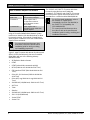
Table 1: Other Literature Referenced
Name of Document
Conettix DX4020 Ethernet Network
Interface Module Installation Guide
D9133TTL-E Serial Interface Module
Installation Guide
C900TTL-E Dialer Capture Module
Installation Guide
Conettix D6680 Ethernet Network
Adapter Installation Guide
Conettix D6200
Programming/Administration Software
Operation and Installation Guide
Conettix D6682 Network Ethernet
Adapter Installation Guide
Conettix ITS-DX4020-G GPRS/GSM IP
Communicator Module Installation and
Operation Guide
Part Number
F01U045288
4998122717
4998122718
4998138732
4998154991
F01U078049
F01U163066
Bosch Security Systems, Inc. | 4/10 | 4998122712-04
The D6600/D6100i Software can be upgraded
through any network connection. The D6600/D6100i
can be programmed remotely through the D6200
Programming/Administration Software.
The D6600 has two COM ports on the back for
network communication connections, COM4 and
COM1 (optional). The D6600 requires a separate
D6680/D6682 for each COM port for interfacing with
an Ethernet network. Most applications do not initially
require using both COM ports.
The D6100i has a built in Ethernet port.
3