1
MICOM-2ES/2RS/2TS ALE Supplement to Owner’s Guide
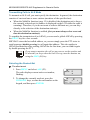
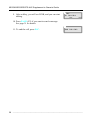
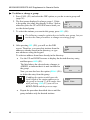
6. After the link is established, you will see a LINK message. Now you may
press the PTT and start talking.
7. To disconnect the link, press the ESC key.
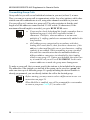
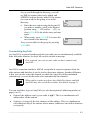
Sending Messages
You can send messages (page) together with the initial call (before the link is set up),
and also whenever necessary while the link is already set up (that is, when your
station is in a link with the destination station).
In the link state, if you are making an individual call, both the receiving and the
calling station can send messages to the other station. This is also true for net calls
and group calls.
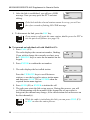
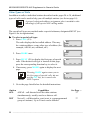
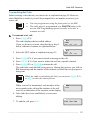
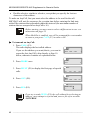
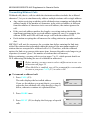
➤ To transmit an individual call with a message:
MOTOROLA
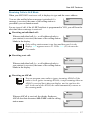
1. Initiate a call as explained above (page 25 or 26)
and select the desired station.
CALL
1009
2. Press PAGE (F2) to add a message. The last sent
message is displayed.
AMD
5AM
SEND
PAGE
CHAN
MONs
EDIT
CHAN
MONs
MOTOROLA
SEND
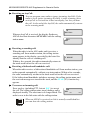
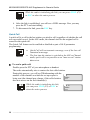
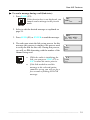
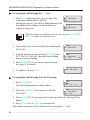
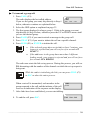
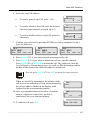
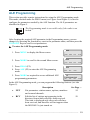
3. You may now select a different (stored) message or edit this message:
MOTOROLA
•
Press the UP/DOWN keys to scroll to the
required message.
AMD11
11 AMD MESS
SEND
EDIT
CHAN
<->s
<--
-->
CLR
CHAN
MONs
or
MOTOROLA
•
To edit the message, press EDIT (F2) and use
the keypad to enter a new message.
AMD
5AM
SAVE
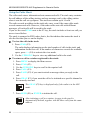
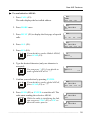
4. Press SAVE (F1) when the message is ready.
MOTOROLA
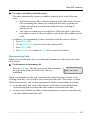
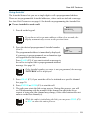
5. Press SEND (F1) or ENTER to initiate the call.
CALL
1009
SEND
PAGE
6. Proceed with the call as explained above (page 25 or 26).
30
_________________________________________________________________________________________________